


Speed Gate Access Control: How It Works, Integration Protocols, and How to Specify It Right
2026-03-28


Speed gate access control works by linking three components — a credential reader, an access control panel (ACP), and the gate's onboard logic controller — so that verified users pass in under one second while unauthorized entries trigger an alarm and automatic re-close. The system supports four integration protocols: dry-contact relay, Wiegand, RS485, and TCP/IP. Each serves a different ACP platform and deployment scenario.
This guide explains the full integration signal path, covers every protocol type with compatibility context, and gives IT managers and system integrators a 7-point specification checklist to use before ordering. Start with the complete Ironman speed gate turnstile range to match integration specs to a product before reaching out.
How Speed Gate Access Control Works
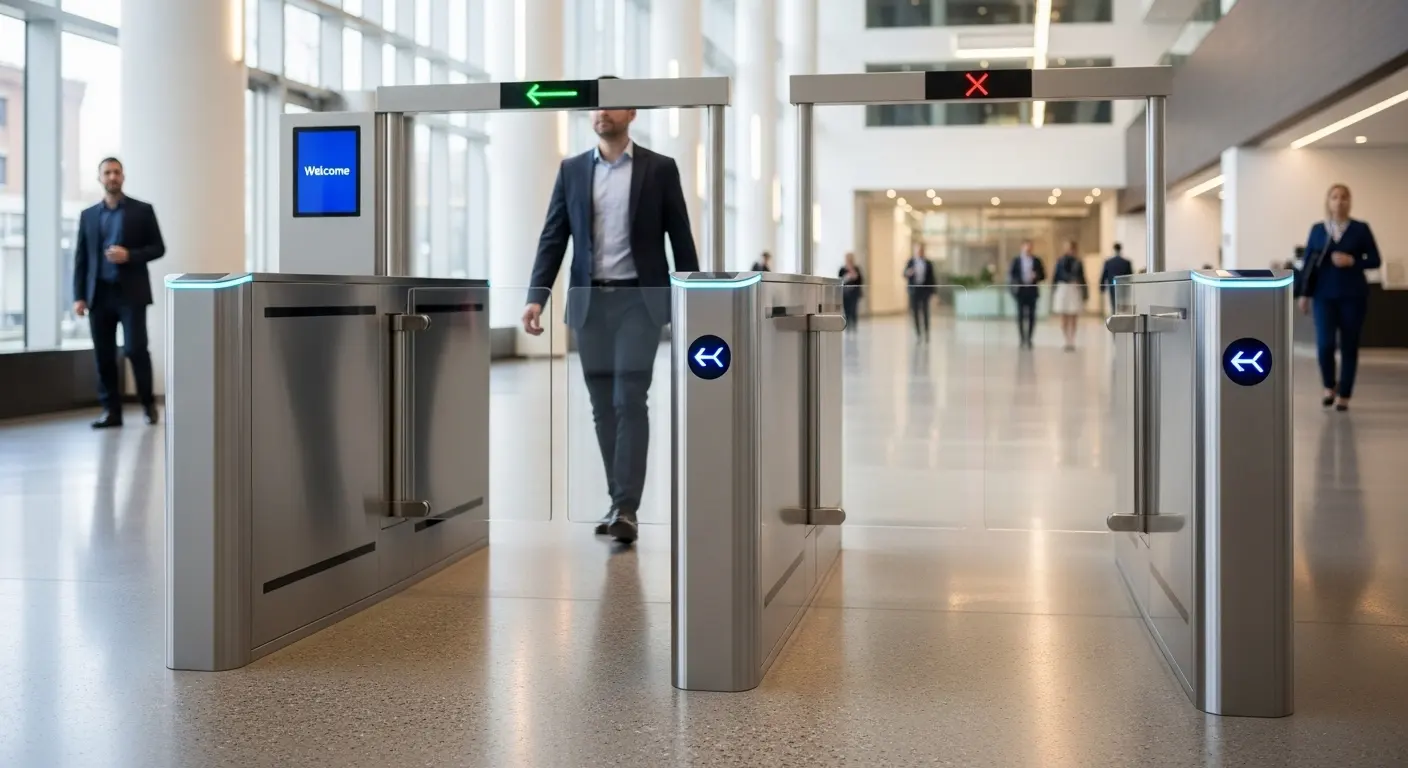
Speed gate access control splits the access decision from the physical barrier operation across two separate controllers. The ACP verifies identity. The gate controller handles the physical barrier. Understanding this separation is the foundation for every integration decision that follows.
The Integration Signal Path
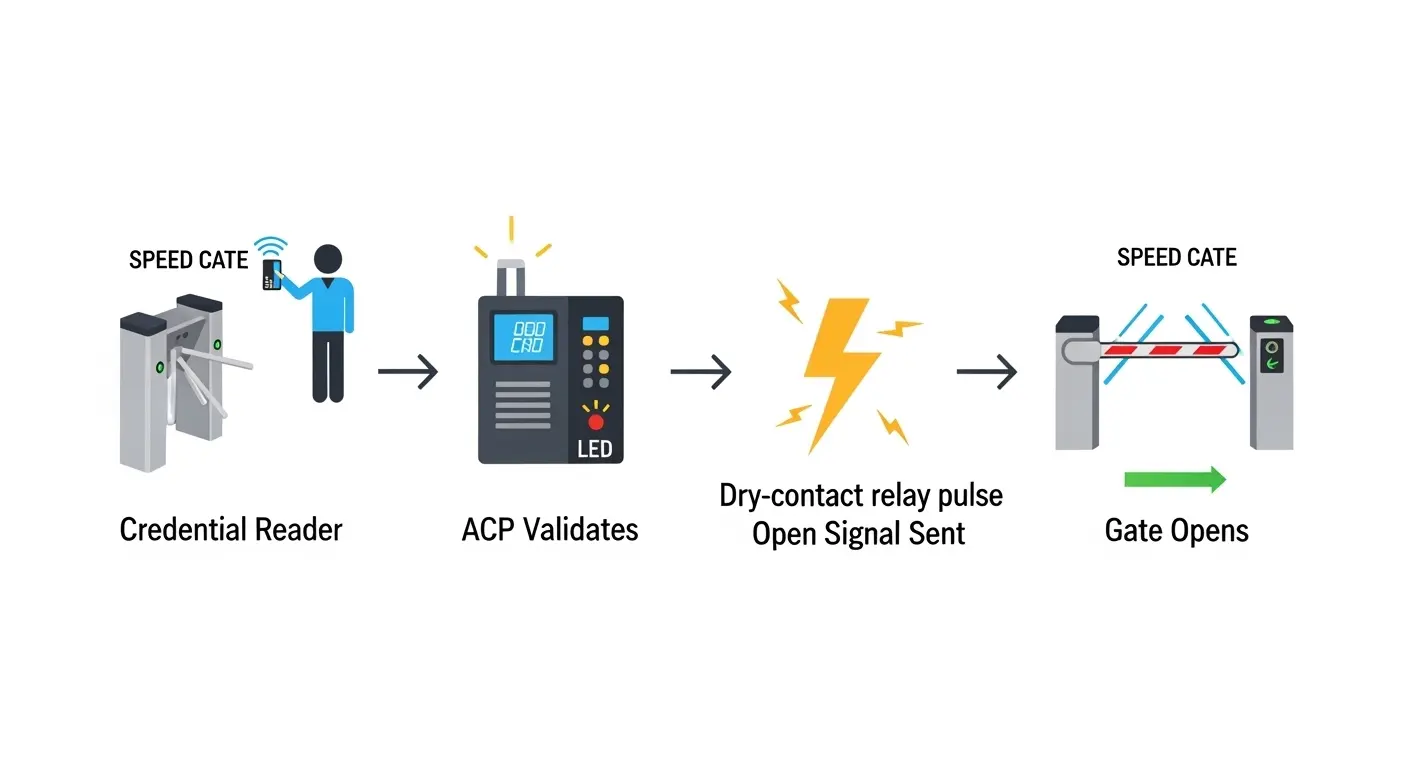
Here is the complete step-by-step signal flow for each access event:
- Credential presented: The user presents an RFID card, scans a QR code, submits a fingerprint, or stands before a facial recognition terminal at the gate reader.
- Data sent to ACP: The reader sends credential data (card number, facility code) via the Wiegand data line to the Access Control Panel. This takes under 0.2 seconds.
- ACP validates: The ACP checks the credential against its database. If authorized, it sends a dry-contact relay pulse — the "open" signal — to the gate's logic controller.
- Gate controller takes over: The moment the gate receives the open signal, its own onboard controller operates independently of the ACP. The ACP's role ends here.
- Barriers open: The brushless DC motor activates and the barriers open in 0.4–0.8 seconds. LED direction arrows switch to green.
- Passage confirmed: The optical sensor array detects the user clearing the lane.
- Gate closes and resets: Barriers return to closed position. The cycle completes. An event record — timestamp, credential ID, lane, direction, authorization result — logs to the ACP software.
Why the Separation of Control Matters
The ACP handles identity. The gate controller handles physics. This design has two practical consequences for system integrators.
First, you can upgrade the gate hardware without touching the ACP, and upgrade the ACP software without touching the gate. Second, the gate's safety functions — anti-pinch, anti-tailgating, and fail-safe emergency mode — operate from the gate's own controller. They work even when the ACP is offline or the network drops.
Integration Protocols — What Speed Gates Support
Speed gate access control systems support four integration protocols. The correct choice depends on your existing ACP platform, the credential types you need, and whether you require real-time cloud management.
| Protocol | Signal Type | ACP Compatibility | Best For |
|---|---|---|---|
| Dry-contact relay | Voltage pulse only (open/close) | Universal — every ACP brand | Legacy systems, simple retrofit |
| Wiegand 26/34-bit | Credential data (card number + facility code) | HID, Honeywell, Lenel, Genetec, most brands | Standard RFID card deployments |
| RS485 | Serial bi-directional data | Multi-gate panel systems | Multi-lane lobbies, panel-managed deployments |
| TCP/IP | Network data (LAN/cloud) | Cloud-based ACP, facial recognition systems | Remote management, facial recognition, multi-site |
Dry-Contact Relay — The Universal Integration Method
A dry-contact relay is a simple voltage pulse — typically 12V or 24V DC — that tells the gate to open. No credential data passes over this connection. The gate receives one instruction: open or close.
This makes dry-contact relay compatible with any ACP that has a relay output, including legacy systems that predate digital protocols. In our experience across 3,000+ gate deployments, dry-contact relay resolves compatibility issues in over 90% of retrofit scenarios where the existing ACP does not natively support RS485 or TCP/IP.
Wiegand Protocol — The Standard Data Integration Path
Wiegand transmits credential data as a digital signal from the reader to the ACP. Wiegand 26-bit is the older standard with a limited card number range — suitable for small-to-medium facilities. Wiegand 34-bit supports larger card populations and is the recommended format for corporate and enterprise deployments.
The Security Industry Association (SIA) maintains Wiegand as an open standard, meaning Wiegand-compatible readers from any manufacturer will work with any Wiegand-capable ACP. Confirm the exact bit format your ACP expects before selecting a reader. Mismatched Wiegand formats — a 26-bit reader connected to a 34-bit ACP configuration — are the single most common integration error we see in speed gate projects.
RS485 and TCP/IP
RS485 is a point-to-multipoint serial protocol that connects up to 32 gates per bus to a single control panel. It supports bi-directional data, meaning the gate can send event data back to the panel in real time. RS485 is the preferred protocol for multi-lane lobby installations managed from one security workstation.
TCP/IP connects the gate directly to the facility's LAN or WAN. This enables real-time monitoring from a cloud dashboard, remote access configuration changes, and multi-site management from one platform. TCP/IP is required for facial recognition terminals because those devices transmit full identity verification data, not just a card number.
Credential Types for Speed Gate Access Control
The credential type determines the reader hardware, the integration protocol, and the security level of the system. Match the credential type to your facility's security policy and your ACP's supported inputs before specifying.
| Credential Type | Protocol | Security Level | Best For |
|---|---|---|---|
| RFID card (Wiegand 26/34) | Wiegand | Medium | Corporate offices, universities |
| Biometric fingerprint | RS485 or TCP/IP | High | Healthcare, finance, government |
| Facial recognition terminal | TCP/IP | Very High | Multi-site corporate, transit hubs |
| QR code / barcode | Dry-contact or TCP/IP | Medium | Visitors, ticketing, events |
| NFC / mobile credential | Wiegand or TCP/IP | Medium-High | Modern offices, hospitality |
| PIN keypad | Wiegand | Low-Medium | Secondary verification, small offices |
For most corporate deployments, RFID card via Wiegand 34-bit is the practical starting point. It offers broad ACP compatibility, low-cost credentials, and a proven reliability record across thousands of installations.
Facial recognition requires TCP/IP integration and an identity database — either cloud-hosted or on-premise. It is the right choice where dual-factor verification (card plus face) is required, such as in financial trading floors or government secure areas.
Visitor management scenarios commonly use QR code credentials generated by a software platform. The visitor receives a QR code by email. They scan it at the gate reader on arrival. No physical card is issued or tracked.
Key Security Features in Speed Gate Access Control
Speed gate access control systems include three security features that go beyond simple open/close barrier operation. Each requires configuration decisions that should be made before installation.
Anti-Tailgating Detection
Anti-tailgating detects a second person entering the detection zone before the gate resets after an authorized passage. A matrix of infrared sensor pairs — typically 4–16 pairs per lane — creates a detection grid across the full lane length.
When a second body enters the detection zone without a valid credential event, the system triggers an alarm and automatically re-closes the barriers. The alarm can connect to a security workstation via relay output, sending a real-time alert with lane number and timestamp to on-site security staff.
In our hospital speed gate deployment, anti-tailgating was the client's primary security requirement. The system logged 100% of attempted tailgating events in the first 30 days with zero false positives across 6 lanes.
Fail-Safe and Fail-Secure Modes
Fail mode configuration is a compliance requirement, not a preference. Every egress route lane must be configured in fail-safe mode.
Fail-safe (normally open): The barriers retract fully and stay open when power is cut or a fire alarm signal is received. This keeps the exit clear for evacuation and meets NFPA 101 Life Safety Code requirements for egress pathways. Fail-safe is the required configuration for any lane that people use to exit a building during an emergency.
Fail-secure (normally closed): The barriers stay closed during power loss. This mode is appropriate only for non-egress high-security lanes — an inner secure area door, for example — where preventing unauthorized entry during an incident is the priority.
Ironman gates support both modes via controller configuration. No hardware change is required to switch between modes. Confirm the correct mode for each lane during the design phase, not after installation.
Audit Trail and Event Logging
Every access event produces a log record: timestamp, credential ID, lane number, direction (entry/exit), and authorization result — pass or deny. This data flows to the ACP software in real time for Wiegand, RS485, and TCP/IP-connected systems.
For regulated environments — healthcare, finance, government — confirm the log retention period and export format meets your compliance requirement. Standard export formats are CSV and PDF. TCP/IP-connected systems additionally support API connections to HR attendance platforms and visitor management software.
Speed Gate Access Control in Real Deployments
Specification decisions look different when grounded in real projects. These three examples show how the integration architecture choices above translate into installed systems.
Corporate office lobby — UK: A 6-lane Ironman speed gate installation integrated with an existing RS485-based access control panel. The installation team completed full wiring, configuration, and commissioning in a single 8-hour working day. Peak morning throughput: 480 entries in the first 30 minutes across 6 lanes — 80 entries per lane, well within the 25–55 persons/minute spec. See the UK speed gate access control case study for the full configuration details.
Hospital — healthcare compliance: Speed gates configured in fail-safe mode with biometric fingerprint readers integrated via Wiegand 34-bit — required for clinical area access audit logs. The anti-tailgating alarm output connects to the nursing station security panel via relay. Review the hospital speed gate case study for the compliance configuration specifics.
University campus: RFID card and QR code dual-credential configuration for student and visitor access. Two separate lane types: card-only student lanes and QR code visitor lanes — both managed from one ACP panel. The campus access control gate page shows the full multi-entry configuration used for peak morning pedestrian flow.
How to Specify Speed Gate Access Control for Your Project
The 7 questions below cover every integration variable that affects hardware selection, protocol choice, and installation scope. Answering them before contacting a supplier eliminates the most common cause of post-delivery re-work.
Pre-Purchase Integration Checklist
- ACP brand and model: Which access control panel is already installed (or planned)? Confirm its relay output type and native protocol support — Wiegand, RS485, TCP/IP, dry contact, or a combination.
- Wiegand format: Does your ACP use Wiegand 26-bit or 34-bit? If you are unsure, check the ACP documentation or ask your ACP vendor before proceeding.
- Credential type: RFID card, biometric, facial recognition, QR code, NFC, or multi-factor? Each credential type requires a specific reader and defines the integration protocol path.
- Lane count and layout: How many lanes total? Single-direction (entry only, exit only) or bi-directional? Standard lane width (550–600mm) or wide/ADA lane (850–1,000mm)?
- Fail mode per lane: Is each lane on a building egress route (fail-safe required) or a controlled non-egress lane (fail-secure acceptable)? Specify per lane, not per site.
- Peak throughput requirement: What is your expected peak daily entry count per lane? Below 500/day: standard model. 500–1,500/day: mid-range brushless motor. Over 1,500/day: high-throughput model.
- Environment and IP rating: Indoor with standard IP54, or partially outdoor/exposed requiring IP65? Custom cabinet finish required?
Getting a Project Specification Quote
Submit these 7 items to the Ironman team via the speed lane gate inquiry page to receive a full itemized specification — including protocol wiring diagram, lane configuration recommendation, and price — within 12 business hours. For high-volume or high-security deployments, also review the high-throughput speed gate specifications before submitting your inquiry.
Frequently Asked Questions
Q1: How does speed gate access control work?
Speed gate access control works in three stages. First, a credential reader sends the user's data to the Access Control Panel (ACP) via Wiegand or RS485. Second, the ACP validates the credential and sends a dry-contact relay "open" signal to the gate's logic controller. Third, the gate controller activates the motor and opens the barriers in 0.4–0.8 seconds, independently of the ACP. The ACP handles identity verification; the gate controller handles physical barrier operation. This separation means the gate's safety functions work even if the ACP network drops.
Q2: What access control systems are compatible with speed gates?
Speed gates using dry-contact relay output are compatible with every ACP brand — including HID, Honeywell, Lenel, Genetec, Bosch, and all legacy systems that provide a relay contact. For Wiegand data integration, confirm the bit format (26-bit or 34-bit) matches your ACP configuration. RS485 and TCP/IP connections are compatible with ACP brands that support those protocols natively, including HID and Honeywell. In practice, Ironman speed gates have been integrated with every major ACP platform across 50+ countries.
Q3: Can a speed gate connect to my existing access control panel?
Yes, in virtually all cases. If your existing ACP has a relay output, dry-contact integration will work with any speed gate regardless of brand or protocol. If your ACP supports Wiegand, RS485, or TCP/IP, more advanced data integration is possible. The only pre-check required is confirming the Wiegand bit format if you are using Wiegand protocol — this takes two minutes to verify in your ACP documentation. Contact Ironman with your ACP make and model and the engineering team will confirm the integration path before you order.
Q4: How does anti-tailgating work in a speed gate access control system?
Anti-tailgating uses a grid of infrared sensor pairs — typically 4–16 per lane — to detect whether a second person enters the detection zone after an authorized credential event but before the gate re-closes. If a second body is detected, the system triggers an alarm buzzer and automatically reverses the barriers to closed position. An optional alarm relay output sends a real-time alert to a security monitoring station. Anti-tailgating detection operates from the gate's own onboard controller and works independently of ACP connectivity.
Q5: What is dry contact integration in a speed gate?
Dry contact integration is the simplest speed gate integration method. The Access Control Panel sends a voltage pulse (typically 12V or 24V DC) via two wires to the gate's control board. This pulse carries one instruction: open the barriers. No credential data passes over this connection — the ACP keeps all identity data internally. Dry contact is universally compatible with every ACP brand and every legacy system because the gate only needs to receive a pulse signal, not interpret a data protocol. It is the recommended integration method for retrofit projects where changing the existing ACP is not feasible.
Q6: What certifications should a speed gate access control system have?
At a minimum, require CE marking (EU safety standard), RoHS compliance (restricted hazardous substances), and ISO 9001 quality management certification. For IP rating, require IP54 for standard indoor installations and IP65 for outdoor or semi-outdoor deployments — verified under IEC 60529. For US deployments, FCC Part 15 compliance is required for electronic components. For healthcare, government, or financial facility projects, confirm that the ACP-side integration meets any sector-specific compliance requirements (HIPAA, FISMA, or PCI-DSS as applicable) — the gate hardware itself does not fall under these standards, but the access event logging and data handling architecture does.
The Three Decisions That Define a Successful Integration
Three choices determine whether a speed gate access control project installs cleanly or requires re-work after delivery. Choose the correct integration protocol for your ACP. Set the Wiegand bit format to match your existing configuration. Configure fail modes lane-by-lane based on egress requirements — not as a single site-wide setting.
Ironman ships 100,000+ speed gate units annually to projects across corporate, healthcare, campus, and transit sectors in 50+ countries. The engineering team provides itemized specifications, protocol wiring diagrams, and fail-mode configuration guidance — all included in a standard project quote.
Submit your 7-point checklist via the Ironman speed gate access control page and receive a full specification and price quote within 12 business hours.
