



Access Control for Buildings: Secure Entry for Offices, Campuses, and Facilities
2025-10-27


Think about your building. It's more than just bricks and mortar; it's a hub of activity, a repository of valuable assets, and, most importantly, a place where people work, learn, or live. Protecting that space is paramount. For centuries, the answer was simple: a sturdy lock and a metal key. But in today's complex world, that just doesn't cut it. A lost key, a disgruntled former employee, or simply the logistical nightmare of managing hundreds of physical keys – the old ways are inefficient and insecure.
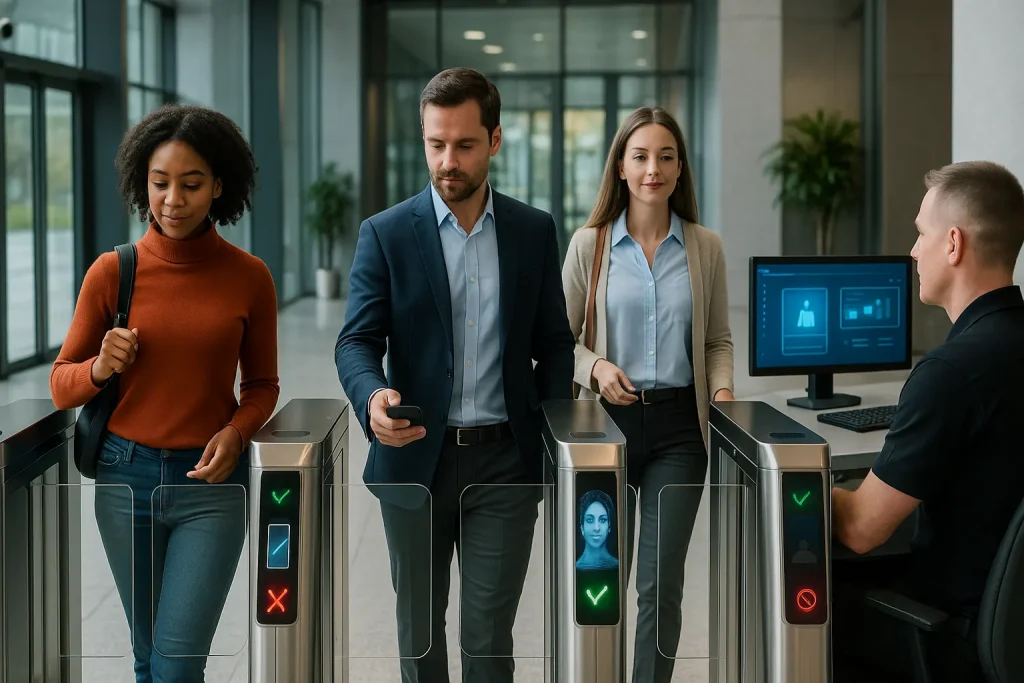
This is where modern access control for buildings comes in. It's a fundamental shift from a simple "lock" to an intelligent, managed system. It's about defining who can go where and when, using technology to enforce those rules reliably and efficiently. It's the essential nervous system for any secure, modern facility, whether it's a bustling corporate office, a sprawling university campus, or a high-security government building.
This guide provides a definitive, practical look at access control for buildings. We'll explore the core concepts, the different technologies involved, how to choose the right system for your specific needs, and why this is no longer just a security feature but a critical operational tool.
What Is Access Control for Buildings?
Access control for buildings is a technology-based system used to selectively restrict or grant entry to specific areas within a facility. It moves beyond traditional locks and keys by using electronic credentials, readers, and software to determine who is allowed access, where they are allowed, and when their access is valid.
At its heart, Access Control is about two things: Authentication (proving you are who you say you are) and Authorization (determining if you have permission to be where you want to go). A metal key tries to do both, poorly. Modern systems separate these functions using technology. You authenticate with a credential (like a card or your face), and the system's "brain" checks if you are authorized for that specific door at that specific time.
This granular control is the key difference. A master key might open every door, creating a huge security risk if lost. An access control system allows you to give an employee access only to the lobby and their specific floor, while a contractor might only have access to the service entrance between 8 AM and 5 PM on weekdays. It's about enforcing the "principle of least privilege"—giving people only the access they absolutely need to do their job.
What Are the Core Components of an Access Control System?
A modern system typically consists of four main parts working together: (1) the Credentials (like key cards or mobile apps), (2) the Readers (to scan the credentials), (3) the Control Panel (the "brain" making decisions), and (4) the Locking Hardware (like electric locks or turnstiles).
Understanding these components helps you understand how the whole system functions.
Component 1: The Credentials (The "Key")
This is what the user carries or presents to prove their identity. The options have evolved significantly:
- Key Cards/Fobs: The most common. These plastic cards or small fobs contain an RFID chip or magnetic stripe.
- Mobile Credentials: Using an app on your smartphone (via Bluetooth or NFC) to act as your key.
- Biometrics: Using unique human traits like fingerprints, facial recognition, or iris scans.
- PIN Codes: Typing a code into a keypad (often used with a card for higher security).
Component 2: The Readers (The "Gatekeeper")
This is the device mounted near the door or gate that "reads" the credential.
- Card Readers: Use RFID or NFC to wirelessly communicate with cards/fobs.
- Biometric Scanners: Cameras for facial recognition, pads for fingerprints, etc.
- Keypads: For PIN entry.
- Mobile Readers: Use Bluetooth or NFC to communicate with smartphones.
The reader doesn't make the decision; it just passes the credential information to the "brain."
Component 3: The Control Panel (The "Brain")
This is the most critical part, the central intelligence of the system.
- What it does: It stores the database of users, their credentials, and their specific access permissions (who, where, when). When a reader sends it credential data, the panel checks this database and makes the "allow" or "deny" decision in milliseconds.
- Location: Traditionally, this was a physical panel/server located in an IT closet (on-premise). Increasingly, this "brain" is moving to the cloud (ACaaS - Access Control as a Service).
Component 4: The Locking Hardware (The "Muscle")
This is the physical device that actually secures the door or passageway and acts on the "brain's" command.
- Electric Strikes: Replace the standard door strike plate, allowing the latch to release when activated.
- Magnetic Locks (Maglocks): Use a powerful electromagnet to hold a door shut. Fail-safe (release when power is lost).
- Electrified Mortise/Cylindrical Locks: Traditional locks with integrated electronics.
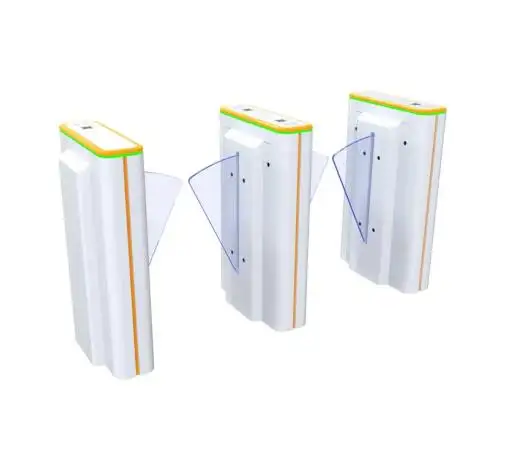
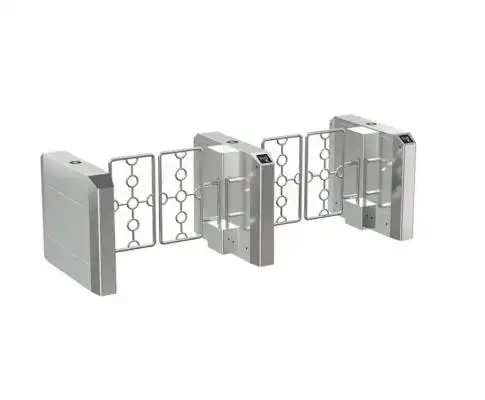
- Physical Turnstiles/Speed Gates: For high-traffic lobbies or entrances, these motorized barriers provide a physical deterrent against unauthorized passage and tailgating.
What Are the Main Types of Access Control Systems?
While there are technical models like DAC and MAC, the most relevant system for virtually all modern commercial, campus, or government buildings is Role-Based Access Control (RBAC). This approach grants access based on a user's defined role within the organization, simplifying management and enhancing security.
Let's briefly touch on the main logical models:
- Discretionary Access Control (DAC): The owner of a resource (like a file or a room) sets the permissions. It's flexible but chaotic for large organizations. Not typically used for building-wide security.
- Mandatory Access Control (MAC): Access is based on system-wide policies and security classifications (like "Top Secret," "Secret," "Confidential"). This is highly rigid and primarily used in high-security environments like military facilities.
- Role-Based Access Control (RBAC): This is the gold standard for most organizations. Access permissions are assigned to roles (e.g., "Sales Manager," "IT Admin," "Janitorial Staff," "Student," "Faculty"). Users are then assigned to roles. When a person changes jobs, you just change their role, and their access permissions update automatically. This is much easier to manage than assigning permissions individually to hundreds or thousands of people. It's the foundation of effective access control for large organizations.
Why Is Access Control More Than Just "Keeping Doors Locked"?
Modern access control is a strategic tool that provides security, creates invaluable data for compliance and operations, and dramatically improves building efficiency. It moves security from a passive "lock" to an active, intelligent management system.
The benefits go far beyond simply stopping intruders.
Benefit 1: Enhanced, Granular Security
This is the most obvious benefit.
- Solves the "Lost Key" Problem: If a card is lost or an employee leaves, you can instantly revoke their access from the system in seconds. No need to re-key the entire building at enormous expense.
- Stops Unauthorized Copying: Unlike metal keys, modern smart cards and mobile credentials cannot be easily duplicated.
- Granular Control: You can define exactly who goes where and when. The marketing team doesn't need access to the server room at 3 AM. The system enforces this automatically.
Benefit 2: The Digital Audit Trail (Data is Power)
This is a massive, often overlooked benefit. Every single time a credential is used (or attempted), the system logs:
- Who (Which credential/user)
- Where (Which door/reader)
- When (Exact date and time)
- Outcome (Access Granted or Access Denied)
This audit trail is invaluable for:
- Incident Investigation: If something goes missing, you know exactly who accessed that area.
- Compliance: Many regulations (HIPAA, PCI-DSS, CJIS) require auditable logs of who accessed sensitive areas.
- Occupancy Monitoring: Knowing how many people are in a specific area is critical for emergency mustering.
Benefit 3: Operational Efficiency
- No More Re-Keying: Saves huge amounts of time and money.
- Streamlined Onboarding/Offboarding: Grant or revoke access instantly as part of the HR process.
- Automated Visitor Management: Integrate with VMS systems to issue temporary digital credentials (like QR codes) automatically.
- Reduced Staffing Needs: Automating lobby access with physical turnstiles frees up guards for higher-value tasks.
Benefit 4: Integration with Smart Building Systems
Modern access control systems don't live in a silo. They can "talk" to other building systems via APIs:
- Video Surveillance (VMS): Link access events to video recordings.
- Intrusion Alarms: Arm/disarm areas based on access.
- Elevator Controls: Implement destination dispatch (call elevator upon entry).
- Building Automation (BAS): Adjust lighting or HVAC based on occupancy data from access logs.
What Are the Different Credentials Used in Modern Access Control?
Credentials have evolved dramatically from easily cloned "prox" cards to highly secure smart cards, convenient mobile credentials on smartphones, and ultra-secure biometrics, each offering distinct advantages.
Choosing the right credential is a critical decision.
125 kHz "Prox" Cards (The Old, INSECURE Standard)
This is the "Prox Card" that dominated the 1990s and 2000s. It's a "dumb" technology. The card only broadcasts its number, like a car's license plate. It has no encryption, no intelligence, and no security.
- Security: Extremely low. These cards have no encryption. They can be cloned in seconds using a $20 device readily available online, often without even needing to touch the card.
- My Expert Opinion: As a security professional, I can tell you that installing a new 125 kHz prox system in any modern building is an act of negligence. It provides the illusion of security while providing almost zero actual security against a moderately determined intruder.
13.56 MHz "Smart Cards" (The Modern, SECURE Standard)
This is the "Smart Card" technology (like NXP's MIFARE DESFire, HID's iCLASS). This is not just a "key"; it's a "microcomputer." The chip on the card has a processor and memory, and it can perform cryptographic functions.
- Security: High to Very High. They use high-level encryption and perform a secure "handshake" with the reader, making simple cloning impossible.
- Benefits: Highly secure, reliable, cost-effective, and can often be used for multiple applications (access, cashless vending, etc.). This is the current workhorse for most commercial buildings.
Mobile Credentials (The "Convenient" Future)
This involves using an app on your smartphone as your key. It uses Bluetooth (BLE) for longer-range "hands-free" access or NFC to "tap" your phone like a card.
- Security: Very High. The credential is encrypted within the app and protected by your phone's own security (PIN, Face ID, fingerprint).
- Benefits: Extremely convenient (no card to carry/forget), easy to issue/revoke remotely, enables "hands-free" walk-through access.
Biometrics (The "High-Security" Future)
This technology uses unique human traits – facial recognition, fingerprints, iris scans.
- Security: Highest. Verifies "who you are," not just "what you have." Impossible to share or steal (without extreme measures).
- Benefits: Ultimate security, eliminates lost/stolen credential issues. Facial recognition can also be extremely fast and convenient ("frictionless").
- Considerations: Higher cost, potential privacy concerns (must have clear policies and consent), enrollment process required.
How Do You Choose the Right Access Control for Your Building?
The "right" system is not one-size-fits-all. It depends entirely on your building's specific function, the number and type of users, your security risk profile, and your budget. A university campus has vastly different needs than a high-security airport.
Here's a breakdown by building type:
For Commercial Office Buildings
A typical office needs to balance security, high convenience for employees, a professional image, and streamlined visitor management.
A cloud-based RBAC system is ideal for flexibility and remote management. Use 13.56 MHz smart cards or, increasingly, mobile credentials. Install an office-building pedestrian turnstile or speed gate in the lobby to manage flow and prevent tailgating. Ensure easy integration with a Visitor Management System for seamless guest access to your main commercial building entrance gate.
For University & College Campuses
These environments must manage a huge, diverse, and constantly changing user base (students, faculty, staff, visitors) across various facility types (dorms, labs, libraries, athletic centers). Scalability is crucial.
A robust, highly scalable RBAC system (often cloud-based for ease of management across many buildings) is required. Smart cards are common (often combined with student ID), but mobile credentials are rapidly gaining favor. A strong campus access control gate solution often involves turnstiles at dorms, libraries, and recreation centers. Integration with student information systems (SIS) is key.
For Government Facilities
Government buildings prioritize the highest level of security, strict compliance (e.g., FIPS, HSPD-12), granular access levels, and robust audit trails. Convenience is secondary to security.
These facilities often use MAC or a highly restrictive RBAC model. Multi-factor authentication is common (e.g., PIV card + PIN + biometric). This requires high-security hardware, potentially including mantraps or full-height turnstiles at key government facility access gate entry points. Systems often must be on-premise due to data sensitivity regulations.
For High-Traffic Public Venues (Airports, Railway Stations)
These facilities demand extreme throughput (processing thousands per hour), high reliability, and specific security screening integrations.
Highly specialized hardware is needed here. An airport speed gate system must be robust and fast, often integrating barcode/QR code scanners for boarding passes. Similarly, railway station pedestrian turnstile hardware is built for extreme durability and rapid, automated ticket validation. Durability and speed are paramount.
What Is the Difference Between On-Premise and Cloud-Based Access Control?
An "on-premise" system means the main software and database (the "brain") reside on a server physically located within your building. A "cloud-based" system (ACaaS) hosts this "brain" remotely on the internet, allowing you to manage it from anywhere via a web browser or app.
Choosing between these architectures is a major decision.
On-Premise ("On-Prem") - The Traditional Model
- Pros: Complete control over hardware and data (good for air-gapped or ultra-high-security needs), no ongoing subscription fees (after initial purchase).
- Cons: Very high upfront cost (server, software licenses), requires dedicated IT staff for maintenance/updates, difficult to manage remotely, hard to scale, you are responsible for backups and disaster recovery.
- My Experience: "The server-in-the-closet model is dying. It's inflexible, expensive to maintain, and requires specialized knowledge that many businesses no longer have in-house."
Cloud-Based (ACaaS - Access Control as a Service) - The Modern Standard
- Pros: Low upfront cost (OpEx model), manage from anywhere, automatic software updates and security patches, infinitely scalable, backups and redundancy handled by the provider, easy integration with other cloud apps.
- Cons: Requires a reliable internet connection (though good systems work offline), ongoing subscription fees.
- My Experience: "For 95% of businesses today, especially those with multiple sites or remote workers, cloud is the way to go. The flexibility, scalability, and lower TCO are compelling."
How Does Physical Access Control (Turnstiles) Fit into the System?
Physical barriers like turnstiles and speed gates are the essential "muscle" that enforces the access control system's decisions, particularly in high-traffic areas like lobbies. They physically prevent tailgating – the act of an unauthorized person following an authorized one – which is the biggest weakness of systems relying solely on door readers.
A card reader unlocks a door, but it can't stop five people from walking through behind the one authorized person. This is where physical turnstiles are critical.
- The Problem: Tailgating is the #1 way physical security is breached. It often happens out of politeness ("holding the door").
- The Solution: A modern speed gate uses sensors to ensure only one person passes for each valid credential presented. If a second person tries to follow, the gate alarms and/or closes.
- Layered Security: This creates a crucial second layer: The access control system (the "brain") verifies identity. The physical gate (the "muscle") verifies singularity. This combination is essential for securing any busy entrance.
What Are the Key Considerations Before Installing a System?
Before investing in an access control system, you must conduct a thorough risk assessment, clearly define user roles and access needs, audit your building's existing infrastructure (especially cabling), plan for scalability, and establish clear policies for managing users and visitors.
Don't just buy hardware. Plan a strategy.
- Conduct a Risk Assessment: What specific assets or areas are you trying to protect? What are the likely threats? This defines why you need the system and what level of security is appropriate.
- Define User Roles (RBAC): Who needs access to what, and when? Map out your organizational roles and their corresponding access permissions before you start programming.
- Audit Your Infrastructure: My Cabling Anecdote: "I insist on this. I once had a client install expensive IP-based readers campus-wide, only to discover half the buildings had ancient, non-data-capable wiring. The cost to re-cable was astronomical. Check your power, network drops, and door hardware first."
- Plan for Scalability: Will your company grow? Add more doors? Open new offices? Choose a system (likely cloud-based) that can grow with you easily.
- Develop Policies: How will new employees be enrolled? How will lost cards be handled? How will visitors be managed? Who has administrative rights? Technology is only half the battle; clear, enforceable policies are essential.
- Budget for the Whole System: Don't forget installation labor, cabling (if needed), software subscriptions (if cloud), ongoing maintenance, and credential costs.
What Is the Future of Access Control for Buildings?
The future is undeniably "frictionless," deeply integrated with smart building ecosystems, and powered by AI to be predictive rather than just reactive. The traditional concept of a "key" or even a "tap" is disappearing.
- Frictionless & Invisible Access: Your identity will be verified passively as you approach. Long-range Bluetooth, Ultra-Wideband (UWB), or advanced facial recognition will open doors and gates without you needing to present anything. The "access event" will become seamless.
- AI-Powered Predictive Security: AI won't just analyze logs; it will analyze behavior. It will correlate access data with video feeds and network activity to identify potential threats before they happen (e.g., detecting a pattern consistent with reconnaissance for a future breach).
- The Unified Smart Building: Access control will be the central "identity layer" for the entire building. Your single, verified identity will grant you access not just through doors, but to elevators, printers, meeting room bookings, personalized climate control, and even cafeteria payments. The building will adapt to you.
Access Control as a Foundational Business Tool
Modern access control for buildings has evolved far beyond the simple lock and key. It is now a sophisticated, data-driven system that is foundational to security, operational efficiency, and even employee experience. Whether securing an office-building pedestrian turnstile, managing flow at an airport speed gate system, or protecting sensitive data behind a government facility access gate, the principles of intelligent, layered security apply.
By carefully selecting the right components—from secure credentials and intelligent readers to robust control panels and effective physical barriers—and by choosing an architecture (like cloud) that fits your needs, you can implement a system that not only protects your assets but also makes your building smarter, safer, and more efficient for everyone.
