


Turnstile Gate with Fingerprint: How It Works, Sensor Types and Which Gate to Choose
2026-04-09


A turnstile gate with fingerprint solves the one problem that every other credential type leaves open: you cannot hand your fingerprint to another person. Cards get shared, PINs get shoulder-surfed, and face recognition can struggle with masks and lighting. A turnstile gate with fingerprint ties access directly to the individual, every single time, with no card to issue, lose, or revoke manually. For data centers, pharmaceutical facilities, financial offices, and industrial sites where knowing exactly who entered a zone matters as much as keeping others out, fingerprint biometric is the strongest entry-level individual identity credential available.
This guide covers how it works, which sensor types perform best in different environments, what FAR and FRR actually mean for day-to-day gate operation, and how to match gate hardware to your specific deployment.
What Is a Turnstile Gate with Fingerprint?
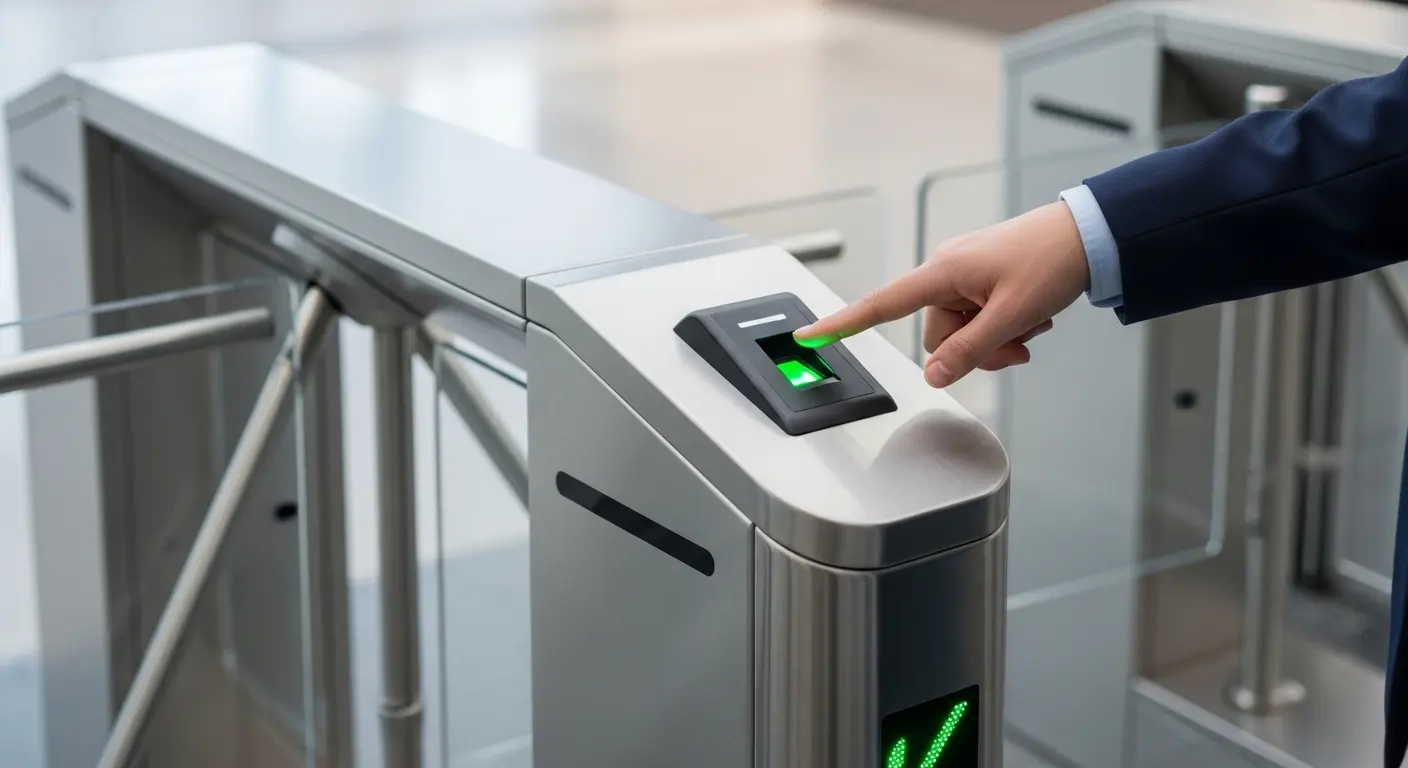
A turnstile gate with fingerprint is a motorized pedestrian barrier equipped with a fingerprint biometric reader that verifies a person's physical identity before granting passage. Unlike RFID cards — which confirm that a valid credential is present — fingerprint verification confirms that the specific enrolled individual is physically at the gate. The credential cannot be transferred, duplicated in practical terms, or forgotten at home.
The system stores a digital fingerprint template for each enrolled user. At entry, the gate scanner captures a live scan, converts it to a template, and compares it against stored records. A match opens the gate. No match keeps it closed. Each event is logged with timestamp, user ID, and gate location.
For a full overview of the Ironman fingerprint gate product range, see the fingerprint turnstile gate page. The biometric turnstile gates solutions with fingerprint scanner page covers complete system configurations for corporate, campus, and industrial environments.
How a Turnstile Gate with Fingerprint Verifies Entry
The process runs in a defined sequence on every single scan. Understanding each step helps you evaluate product claims and troubleshoot performance problems.
Step 1 — Enrollment. Before a user can access any gate, their fingerprint is scanned and a digital template is created. This template stores the unique ridge pattern data, not an image of the fingerprint. Most systems enroll two to three fingers per user to handle minor finger condition variation. Enrollment quality directly affects long-term verification accuracy — rushed enrollments create templates that fail more often in daily use.
Step 2 — Live scan capture. The user places a finger on the scanner window. The sensor captures a live scan image and converts it into a fresh template using the same algorithm used at enrollment.
Step 3 — Template matching. The system compares the live template against the stored enrollment templates. This comparison produces a match score — a numerical value representing similarity between the two templates. The system applies a defined threshold: scores above the threshold result in a match, scores below result in a no-match.
Step 4 — Gate responds. A match above threshold triggers the gate to open. A no-match keeps the gate locked and logs the failed attempt. The full cycle from finger placement to gate open completes in 0.5 to 1.5 seconds, depending on sensor hardware and database size.
See the biometric turnstile systems with fingerprint scanner page for full system architecture details, including controller specifications and network topology options.
Fingerprint Sensor Types: Optical, Capacitive and Multispectral
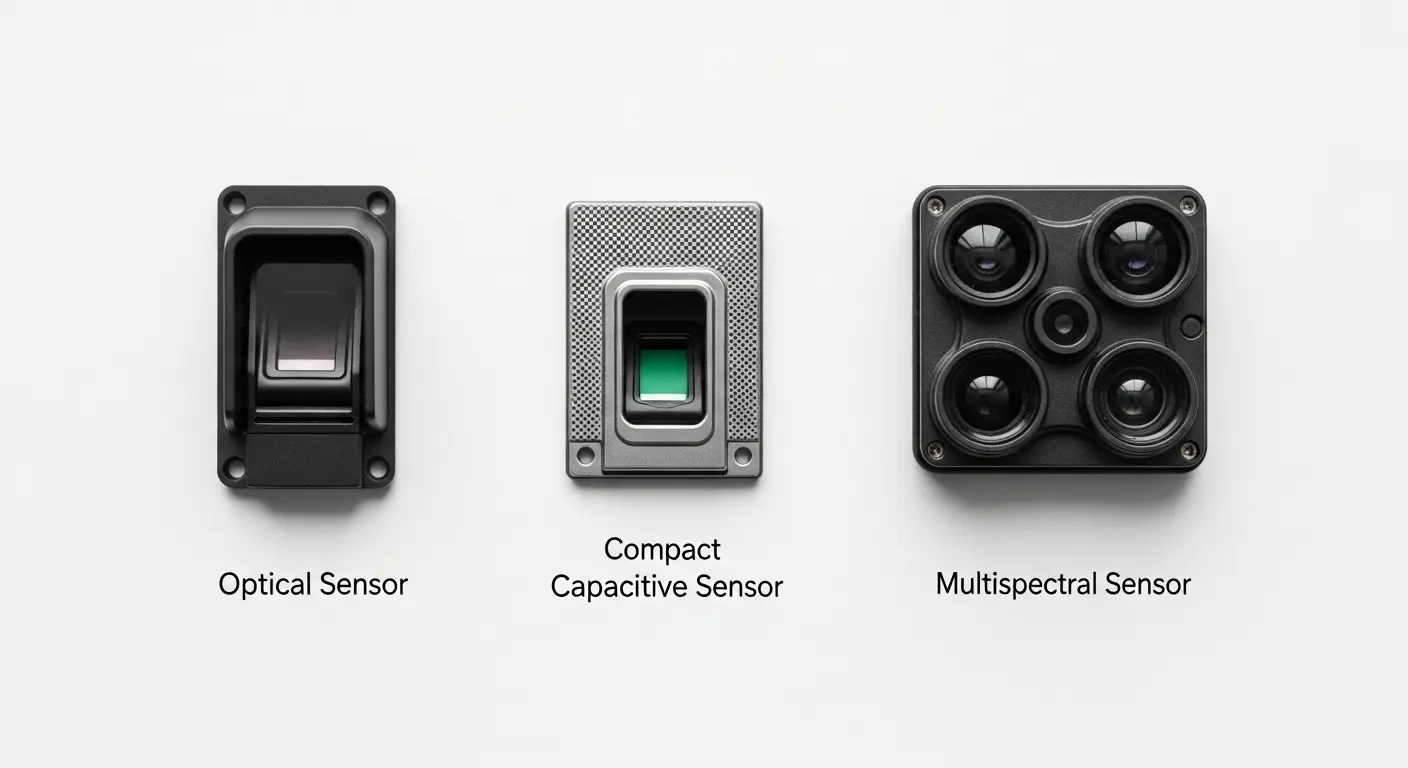
Not all fingerprint readers perform the same under real operating conditions. The sensor technology inside the reader determines accuracy across different environments, finger conditions, and lighting situations. This is the decision most buyers skip — and it's the one that causes the most performance complaints after deployment.
Optical Sensors
Optical sensors use a light source and camera to photograph the fingerprint surface. They are the most cost-effective reader technology and work well in controlled, clean, indoor environments.
The limitation is surface dependency. Optical sensors read the surface of the finger. A wet, dirty, or callused finger surface disrupts the captured image directly. In bright sunlight or near strong artificial lighting, optical sensor accuracy degrades. For corporate offices and climate-controlled lobbies, optical sensors perform acceptably. For outdoor installations, factory floors, or any environment where hand conditions vary widely, optical sensors create a higher-than-acceptable false rejection rate in daily use.
Capacitive Sensors
Capacitive sensors map fingerprints by measuring electrical charge differences between ridge contact points and valley gaps. They read below the immediate skin surface, making them significantly less sensitive to surface contamination than optical sensors.
This makes capacitive sensors the current standard for most commercial turnstile gate with fingerprint deployments. Performance is strong in clean indoor environments, and they handle minor moisture and light dirt better than optical alternatives. Outdoor or industrial applications still challenge capacitive sensors in extreme conditions — high humidity, gloved users, or heavily calloused hands all increase rejection rates.
Multispectral Sensors
Multispectral sensors use multiple light wavelengths to capture fingerprint data from both the surface and the subsurface tissue layer. Because the subsurface ridge pattern exists regardless of surface moisture, dirt, or calluses, multispectral sensors maintain accurate reads in conditions that defeat both optical and capacitive alternatives.
For outdoor installations, factory floors, healthcare environments, and any site where hand condition variability is the norm rather than the exception, multispectral is the correct sensor specification. The per-reader cost is higher, but the real-world rejection rate stays consistently low across the user population — which directly reduces daily helpdesk calls and guard interventions at the gate.
FAR and FRR: The Two Numbers That Determine Real-World Performance
Every fingerprint reader spec sheet lists FAR and FRR values. Most buyers ignore them. They shouldn't — these two numbers predict exactly how the gate will behave under daily operating conditions, and they pull in opposite directions.
FAR — False Acceptance Rate
FAR is the percentage of unauthorized access attempts that the system incorrectly accepts. A FAR of 0.001% means that for every 100,000 unauthorized attempts, roughly one gets through incorrectly. For a high-security zone like a data center or pharmaceutical storage area, even that rate may be unacceptable.
FRR — False Rejection Rate
FRR is the percentage of authorized users the system incorrectly rejects. A FRR of 0.1% means that for every 1,000 authorized scans, roughly one gets rejected and requires a retry or manual override. In a facility with 500 staff making two gate passes per day, a 0.1% FRR generates about one rejection per day — manageable. At 2,000 staff and four passes each, the same FRR generates roughly eight rejections per day, each requiring staff assistance.
The Trade-Off
FAR and FRR are inversely related. Tightening the match threshold to reduce FAR (fewer unauthorized people through) raises FRR (more legitimate users get rejected). The right threshold balance depends on your security level and traffic volume. A data center optimizes for the lowest possible FAR. A corporate lobby optimizes for the lowest practical FRR. Most quality fingerprint readers target FAR under 0.001% and FRR under 0.1% for standard deployments.
Wet, Dirty and Injured Fingers: The Real-World Performance Problem
This is the issue that manufacturers rarely address upfront but that every facility manager discovers within weeks of deployment. Fingerprint verification performs well on dry, clean, undamaged fingers. Real users — particularly in industrial, healthcare, and food-service environments — do not always present dry, clean, undamaged fingers at the gate.
Wet fingers from rain, handwashing, or perspiration degrade optical and capacitive scan quality significantly. Callused fingers from manual labor create surface patterns that diverge from enrollment templates. Cuts, bandaged fingertips, or seasonal skin dryness all produce elevated FRR for affected users — creating a queue at the gate every time that individual tries to enter.
Practical solutions:
- Multispectral sensors address this at the hardware level — subsurface imaging reads through most surface variation
- Multi-finger enrollment — enrolling two to three fingers per user provides alternative templates when a primary finger is wet or injured
- Dual-factor fallback — for users whose fingerprints consistently fail due to physical work conditions, pairing fingerprint with an RFID card backup allows the system to fall back to card verification without creating a daily bottleneck at the lane
- Placement and protection — outdoor or semi-exposed readers need IP65 or higher ratings and protective canopies in wet climates
Gate Types That Work with Fingerprint Readers
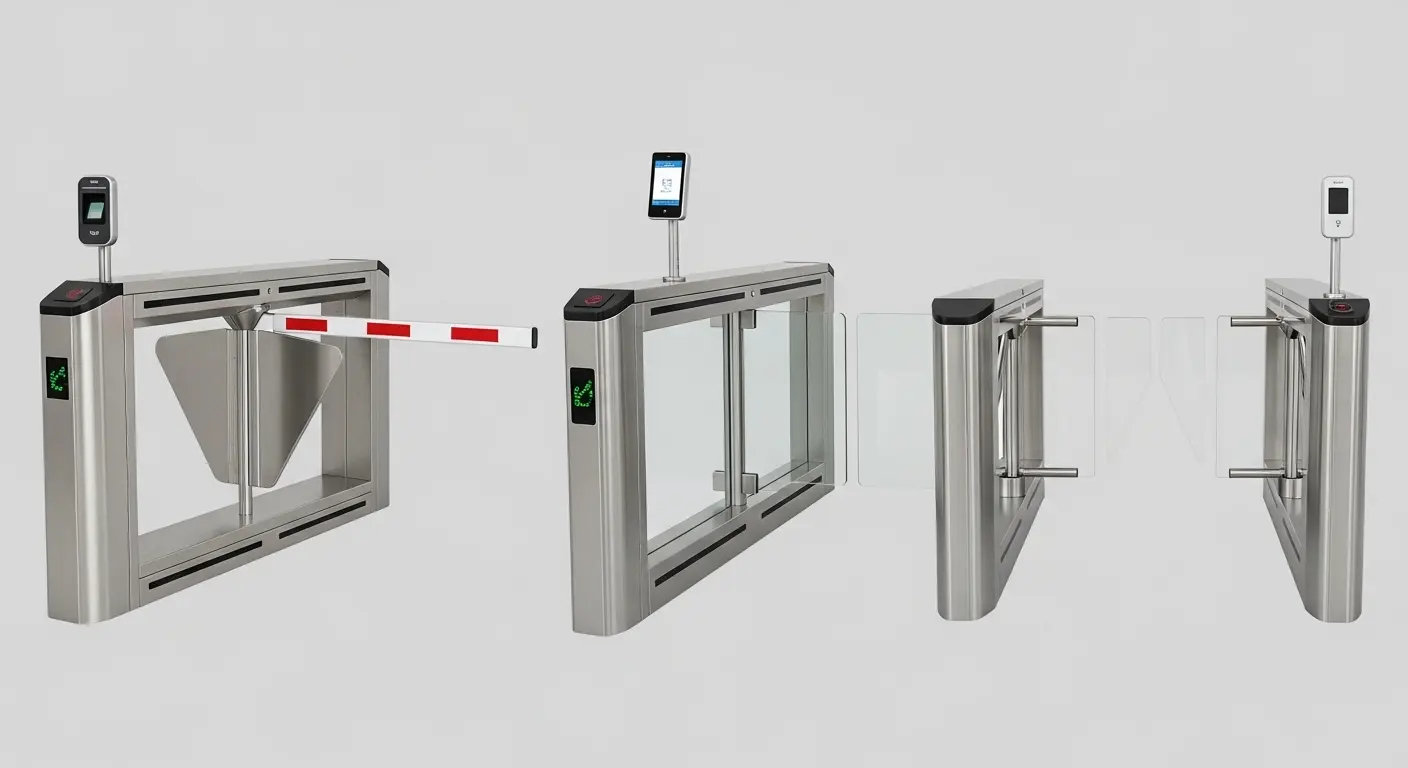
Fingerprint reader modules mount on almost any motorized gate cabinet. The gate type determines throughput, physical security level, and environment suitability.
Flap Barrier with Fingerprint Reader
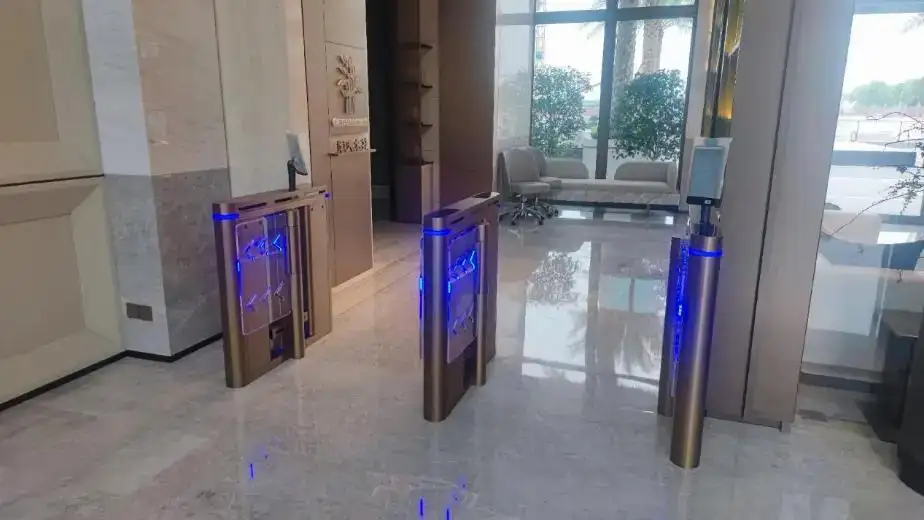
The most widely deployed turnstile gate with fingerprint configuration in corporate and campus environments. The biometric pedestrian access gate with fingerprint scanner combines high throughput — up to 45 persons per minute — with multi-beam infrared anti-tailgating detection and fingerprint verification running in parallel. The reader mounts directly on the entry-side gate cabinet, with the display panel providing real-time scan guidance and LED status feedback to keep lane rhythm smooth.
Speed Gate with Fingerprint Reader
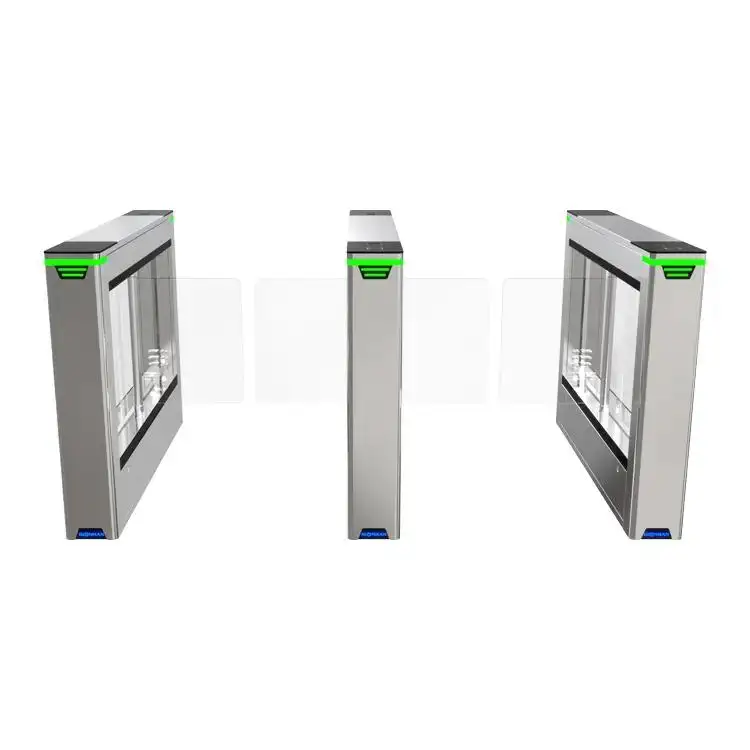
For environments where high throughput and strong visual aesthetics both matter — financial offices, premium building lobbies, transit VIP zones — the biometric speed gate turnstile delivers fingerprint verification alongside glass panel barriers and optical detection at passage rates up to 50 persons per minute. The fingerprint reader module fits within the same cabinet profile, maintaining the visual design integrity of the entry point.
Swing Gate with Fingerprint Reader
Wide-lane swing gates handle ADA-compliant lanes and zones where equipment trolleys, strollers, or wheelchair users regularly mix with fingerprint-verified staff. The biometric anti-climbing swing turnstile pairs fingerprint verification with an anti-climbing barrier design — addressing both the identity verification requirement and the physical security requirement in one gate unit. This configuration is particularly suited to outdoor perimeter access points where physical deterrence matters alongside biometric identity confirmation.
Gate Type Comparison
| Gate Type | Fingerprint Throughput | Physical Security | Best Environments |
|---|---|---|---|
| Flap barrier | Up to 45 ppm | High | Corporate offices, campuses |
| Speed gate | Up to 50 ppm | High | Financial offices, premium lobbies |
| Swing gate | Up to 30 ppm | High (anti-climb) | ADA lanes, outdoor perimeters |
| Full-height turnstile | Up to 20 ppm | Highest | Data centers, industrial perimeters |
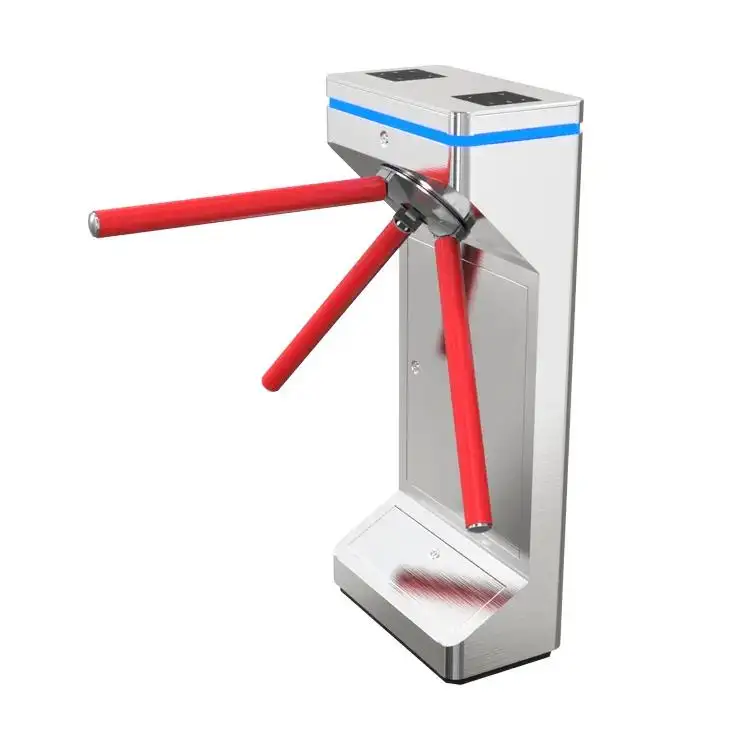
| Tripod turnstile | Up to 25 ppm | Moderate | Factories, gyms, schools |
For a complete overview of available configurations across all gate types, the access control turnstile gate solutions page covers fingerprint-compatible hardware across all Ironman product lines.
Biometric Data Storage: On-Device, On-Server, or On-Card
Where fingerprint templates are stored has direct implications for privacy law compliance, system resilience, and data breach risk. This decision needs to be made at the specification stage — not after the system is installed.
On-Device Storage
Templates are stored in the gate controller's local memory. Verification happens entirely on-device without network dependency. This is the most resilient option for gate uptime — a network outage does not affect entry operations. The privacy advantage is that biometric data never leaves the physical installation. The limitation is capacity: most on-device controllers store 3,000 to 10,000 templates, which suits smaller facilities but not large enterprise campuses.
On-Server / Centralized Storage
Templates are stored on a central access control server and retrieved for verification at scan time. This allows unlimited user capacity and real-time permission changes across all gates from a single management point. The privacy exposure increases — centralized biometric data is a high-value breach target, and GDPR Article 9 treats biometric data as a special category requiring explicit consent, documented legal basis, and data protection impact assessments. For any EU-based deployment or any organization subject to GDPR, centralized biometric storage requires documented compliance before go-live.
On-Card Storage
The fingerprint template is stored on a smart card carried by the user. At the gate, the live scan is compared against the template on the card — no biometric data ever enters a server or the gate's permanent memory. From a GDPR perspective, this is the cleanest model: the data subject retains physical control of their own biometric data. The operational limitation is that users must always carry their card, which partially defeats the card-free convenience of biometric access. For GDPR-sensitive environments where biometric verification is mandatory, on-card storage often represents the best compliance posture.
The Ironman biometric turnstile gates manufacturer with fingerprint scanner page covers all three storage architecture options with available controller specifications for each.
Common Mistakes When Specifying a Turnstile Gate with Fingerprint
Choosing sensor type based on unit price alone. Optical sensors cost less but fail consistently in industrial, outdoor, or mixed-condition environments. The real cost is guard interventions, user frustration, and system workarounds that accumulate daily. Match sensor type to actual finger condition variability at your specific site — not to the lowest per-unit price on the specification.
Rushing the enrollment process. Template quality at enrollment determines verification accuracy for the entire system lifetime. A quick, poorly positioned enrollment scan creates a weak template that produces elevated false rejections from day one. Budget adequate time for enrollment, capture two to three fingers per user, and re-enroll anyone whose first enrollment scan scores below the quality threshold in the software.
Specifying no dual-factor fallback. For workers whose fingerprints consistently fail due to physical work conditions — calloused hands, chemical exposure, injuries — a fingerprint-only gate creates a daily access problem. Building in an RFID card or PIN fallback for designated users protects operational flow without compromising security for the majority of enrolled users.
Skipping GDPR compliance planning. In any jurisdiction subject to GDPR or local biometric data privacy laws, deploying a turnstile gate with fingerprint without a documented legal basis, user consent process, and Data Protection Impact Assessment creates legal exposure. This is a compliance decision, not a technical one — but it must be made before the first fingerprint is enrolled.
Not testing under actual site conditions during commissioning. Run verification tests with users who represent the actual population: include users with callused, dry, or recently washed hands. Test in the actual ambient lighting and temperature conditions the gate will face in operation. Discovering a systematic FRR issue during commissioning costs nothing to resolve. Discovering it after deployment creates operational disruption and a credibility problem with the security team.
FAQ: Turnstile Gate with Fingerprint
What is a turnstile gate with fingerprint?
A turnstile gate with fingerprint is a motorized pedestrian access control barrier equipped with a biometric fingerprint reader that verifies physical identity before allowing passage. The system stores a digital fingerprint template for each enrolled user. At entry, the gate captures a live scan, compares it to stored templates, and opens the gate on a confirmed match. No physical card is required, and the credential cannot be transferred to another person.
What fingerprint sensor type is best for a turnstile gate?
For controlled indoor environments — corporate offices and campuses — capacitive sensors deliver strong accuracy at a practical cost. For outdoor installations, factory floors, or environments where finger condition varies widely due to physical work or weather, multispectral sensors are the correct specification. They read subsurface ridge patterns and maintain accurate verification through moisture, dirt, and minor surface damage that defeats optical and capacitive alternatives.
What are FAR and FRR in a fingerprint turnstile gate?
FAR (False Acceptance Rate) is the percentage of unauthorized access attempts incorrectly accepted by the system. FRR (False Rejection Rate) is the percentage of authorized users incorrectly rejected. These two rates trade off against each other — tightening security reduces FAR but raises FRR. For most commercial turnstile gate with fingerprint deployments, target FAR under 0.001% and FRR under 0.1% as baseline performance benchmarks.
Can a fingerprint turnstile gate work in wet or industrial environments?
Yes, with the right sensor specification. Standard optical and capacitive sensors show elevated rejection rates in wet, dirty, or high-humidity conditions. Multispectral sensors use subsurface imaging to maintain accuracy regardless of surface finger condition. In addition, enrolling multiple fingers per user and providing an RFID card fallback for workers with consistently difficult fingerprints keeps lane operations smooth without compromising identity security for the wider user population.
Where should biometric fingerprint templates be stored?
Fingerprint templates can be stored on-device (in the gate controller), on a central server, or on a smart card carried by the user. On-device storage offers the best operational resilience and keeps biometric data contained within the physical installation. On-card storage gives users personal control of their data and is often the preferred model for GDPR compliance. Centralized server storage provides the most management flexibility but requires documented legal basis and data protection measures under GDPR for any EU-subject deployment.
