


Turnstile Gate with QR Code: How It Works, Types and When to Use It
2026-04-08


A turnstile gate with QR code removes one of the most persistent friction points in access control: physical card issuance. No cards to print, distribute, lose, or deactivate. Credentials live on a phone screen, a printed ticket, or an email — and the gate reads them in under 300 milliseconds. For event venues, corporate campuses, transit hubs, and any facility managing a rotating visitor population, a turnstile gate with QR code solves a problem that RFID systems were never designed for efficiently.
This guide covers exactly how the system works, the gate types that support it, the code formats that matter, and the setup decisions that determine whether your deployment runs smoothly on day one.
What Is a Turnstile Gate with QR Code?
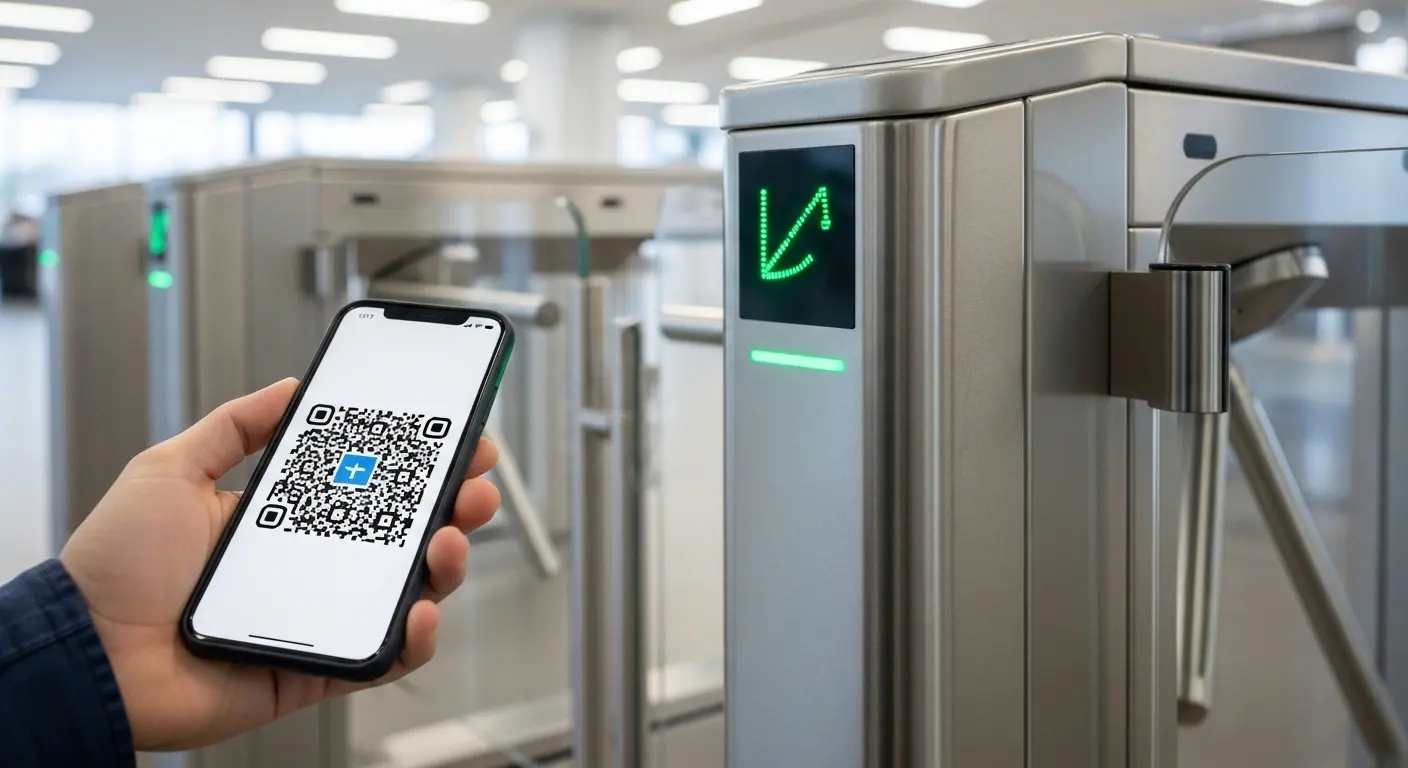
A turnstile gate with QR code is a motorized pedestrian barrier equipped with an optical QR scanner that reads a credential presented on a phone screen or printed material, verifies it against an authorization database, and opens the gate if the code is valid.
The QR code itself contains a string of encoded data — an event ticket number, a temporary visitor pass, a membership ID, or a booking reference. The scanner on the gate reads that data, sends it to a connected access control system for verification, and receives an open or deny signal back. The full cycle completes in 0.2 to 0.5 seconds — fast enough to handle peak transit or event entry volumes without visible lane slowdown.
The key difference from RFID is physical: there is no card to issue, track, or replace. QR credentials can be sent by email, SMS, or in-app push notification, generated on demand for visitors, and expired automatically after a single use or after a set time window. For the complete product overview, see the Ironman QR code turnstile gate page. For systems that also handle 1D barcode formats alongside QR, the barcode turnstile gate covers combined scanner configurations.
How a Turnstile Gate with QR Code Processes Entry
The entry process looks effortless from the user's side. Behind that speed, a clear six-step sequence runs every time.
Step 1 — Code generation. The access management platform creates a unique QR code tied to a specific user, booking, or access rule. The code encodes the authorization data, time window, and zone permissions.
Step 2 — Credential delivery. The platform delivers the code to the user by email, SMS, mobile app, or printed ticket. In visitor management setups, the host sends the code before the visit. In event ticketing, the code arrives at purchase or check-in confirmation.
Step 3 — User presents the code. The visitor or attendee opens the code on their phone screen — or holds up the printed ticket — at the scanner window on the gate cabinet. Ambient lighting and reading angle both affect scan speed; good reader hardware compensates for poor lighting conditions automatically.
Step 4 — Scanner reads and transmits. The embedded QR scanner reads the data string and sends it to the connected controller or backend verification system. For offline setups, the controller checks against a locally stored permission list. For cloud-connected setups, the code is verified against a live database in real time.
Step 5 — Verification result returned. Valid code triggers an open signal. Expired, already-used, or unauthorized codes trigger a deny signal and a visual or audio alert at the gate panel.
Step 6 — Gate responds. The barrier opens for an authorized user and closes after passage is complete. For expired or invalid codes, the gate stays locked. The all-in-one QR code access control terminal runs all of this processing in a single mounted unit — scanner, controller, and display in one cabinet.
Static vs. Dynamic QR Codes: Why the Difference Matters
Every turnstile gate with QR code system runs on one of two code formats. This distinction has a direct impact on security, and most buyers don't ask about it until after a problem occurs.
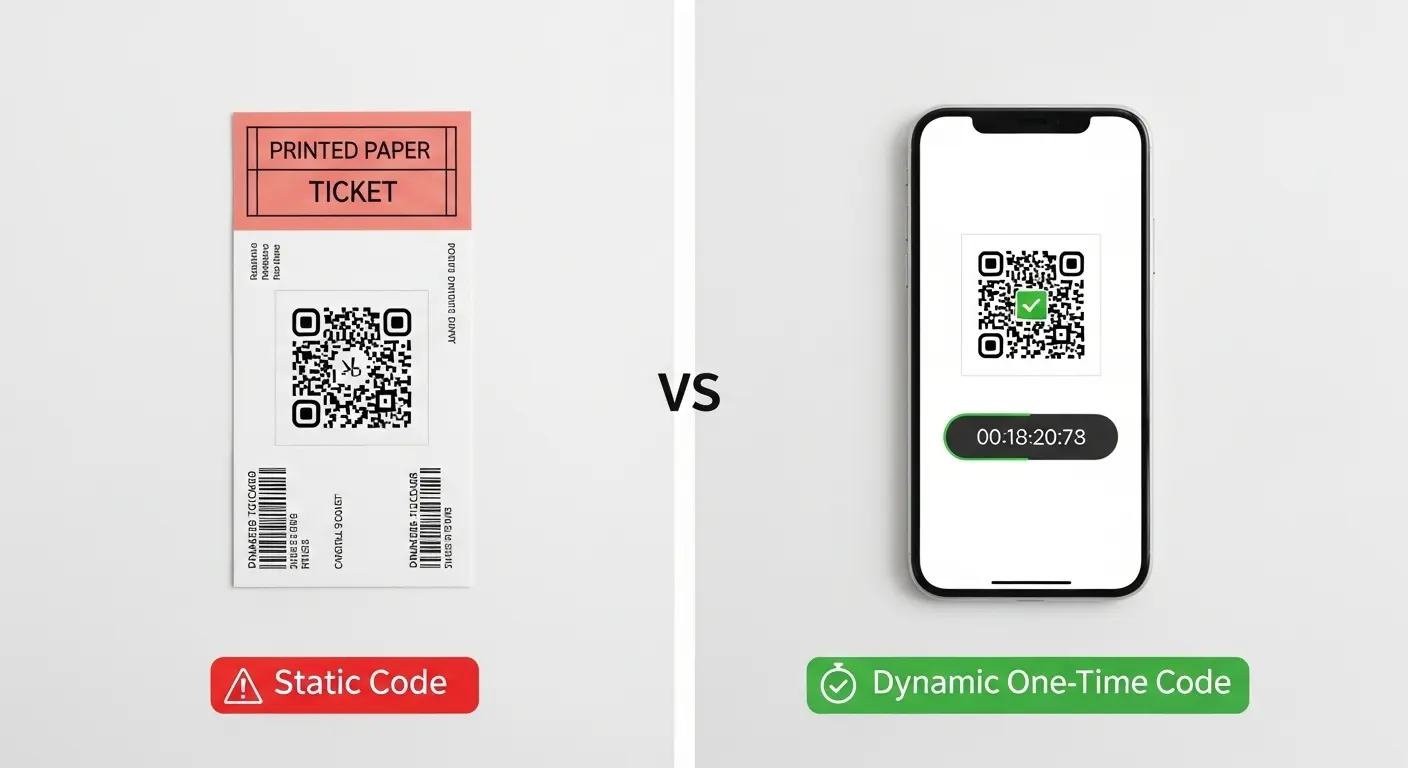
Static QR Codes
A static QR code encodes a fixed data string that never changes. The same code works every time it is presented, for any user, at any time. For low-risk applications like internal parking or non-secured building common areas, static codes work acceptably. For anything involving individual accountability, ticketed access, or restricted zones, they introduce a real vulnerability: a screenshot, a forwarded email, or a photographed ticket gives unlimited access to anyone who has it.
Dynamic QR Codes
Dynamic codes encode a reference that points to a live database record, not a fixed data string. The access platform controls what that reference resolves to at the moment of scan. This allows:
- One-time-use codes: The code marks itself as used at first scan and rejects all subsequent presentations — preventing screenshot sharing or duplicate entry
- Time-window codes: The code is only valid between defined timestamps — preventing early entry or late re-entry
- Revocable codes: The platform can invalidate a specific code at any time without the code itself changing — useful when a visitor cancels or a staff member leaves mid-event
For any serious deployment of a turnstile gate with QR code, dynamic one-time or time-window codes are the baseline security specification — not the premium feature. Static codes handle test environments and internal low-risk uses. Dynamic codes handle anything where each entry event must be tied to one specific person, one specific time.
Turnstile Gate Types That Work with QR Code Credentials
QR code reading is a reader module — it can be mounted on almost any motorized gate cabinet. The gate type you choose determines throughput, physical security level, and environment suitability.
Flap Barrier Gate
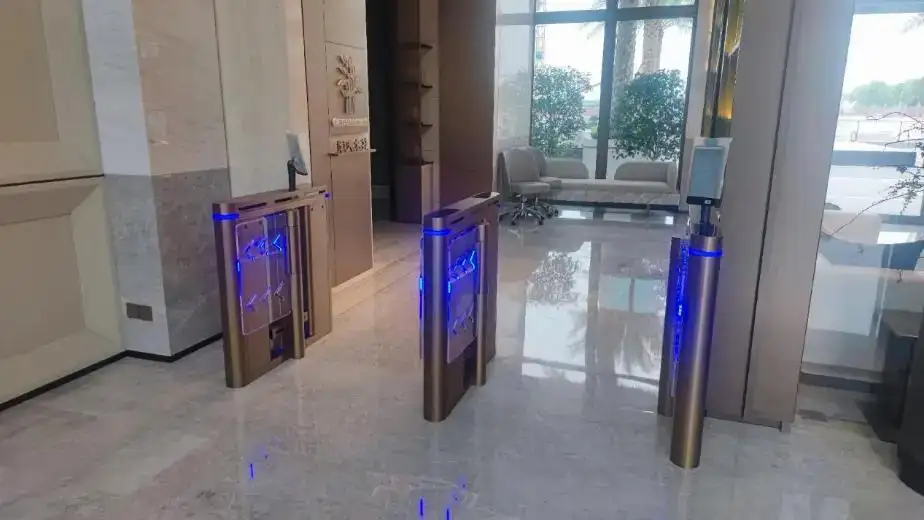
The most widely used turnstile gate with QR code hardware in corporate and institutional environments. The flap barrier's motorized panels open in under 500 milliseconds, handle throughput of up to 45 persons per minute, and support QR scanner modules mounted directly on the entry-side cabinet panel. The scanner reads through glass or phone screens without requiring the user to remove the phone from their pocket for most setups — though direct-scan presentation at the panel window is faster and more reliable for high-volume lanes.
Speed Gate and Optical Turnstile
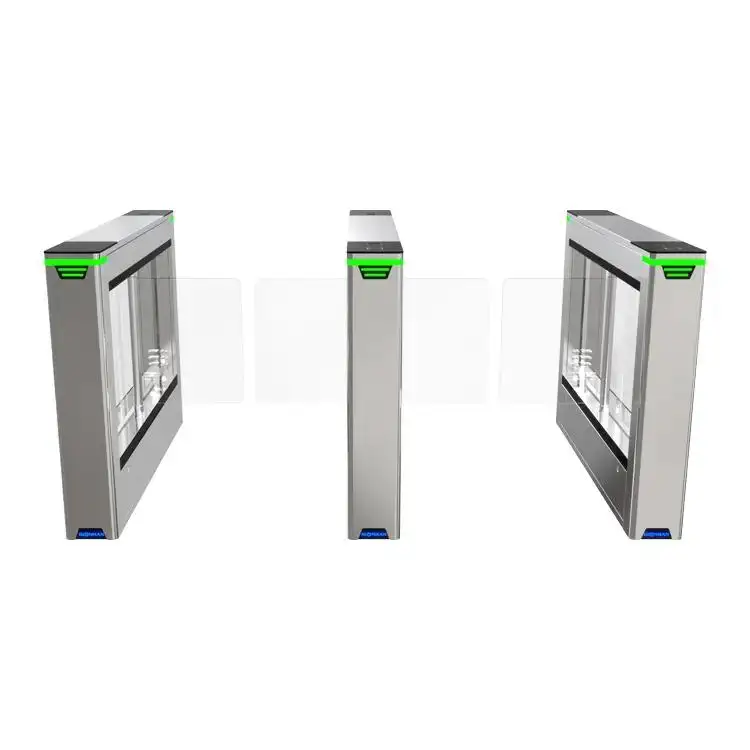
Speed gates deliver the highest throughput of any pedestrian gate type while maintaining full QR reader compatibility. The Ironman optical turnstile gate suits transit environments, premium lobby areas, and high-traffic institutional entries where passing rate matters as much as credential security. The glass panel design also makes credential bypass visually obvious — reducing opportunistic access attempts in high-visibility locations.
Tripod Turnstile
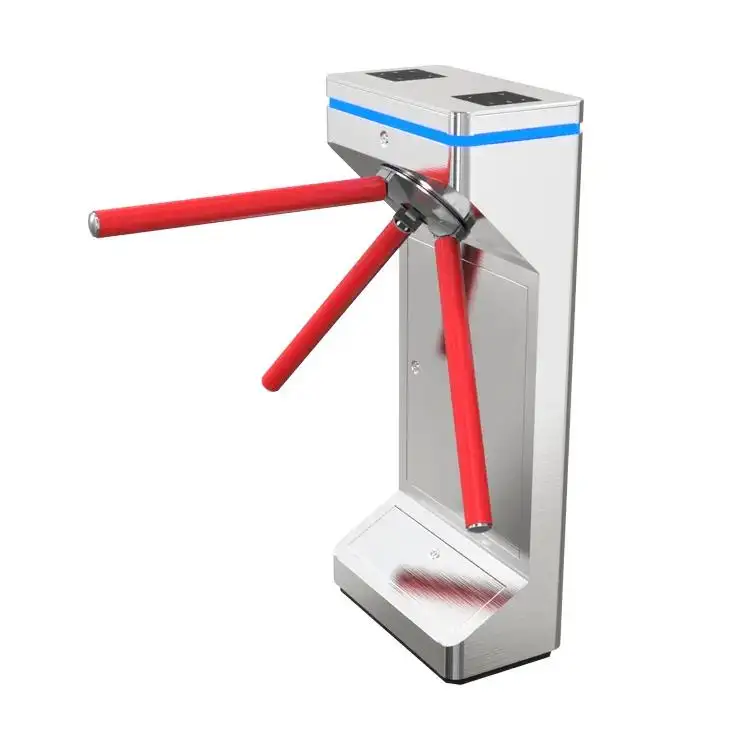
For lower-volume or lower-security environments — event side entrances, sports facility check-in points, school campus entries — the automatic tripod turnstile provides QR reader compatibility at a practical cost point. Its compact footprint suits existing narrow entry corridors where a flap barrier cabinet would require physical renovation.
Anti-Tailgating Gate Pairing
A turnstile gate with QR code verifies credentials at the software level. It does not stop a second person from physically following through an open gate. For any environment where tailgating is a realistic risk — transit entries during peak periods, event access points during surges — pair QR credential verification with physical anti-tailgating sensor detection. The anti-tailgating AB turnstile gate runs dual-zone infrared detection alongside QR verification in the same gate unit, enforcing both layers simultaneously.
Gate Type Comparison
| Gate Type | QR Throughput | Physical Security | Best QR Use Case |
|---|---|---|---|
| Flap barrier | Up to 45 ppm | High | Corporate offices, campuses |
| Speed gate / Optical | Up to 50 ppm | High | Transit, premium lobbies |
| Tripod turnstile | Up to 25 ppm | Moderate | Events, gyms, schools |
| Full-height turnstile | Up to 20 ppm | Highest | Restricted zones, government |
Where a Turnstile Gate with QR Code Works Best
QR code credentials suit specific deployment environments better than any other credential type — and suit others less well.
Event Venues and Ticketing
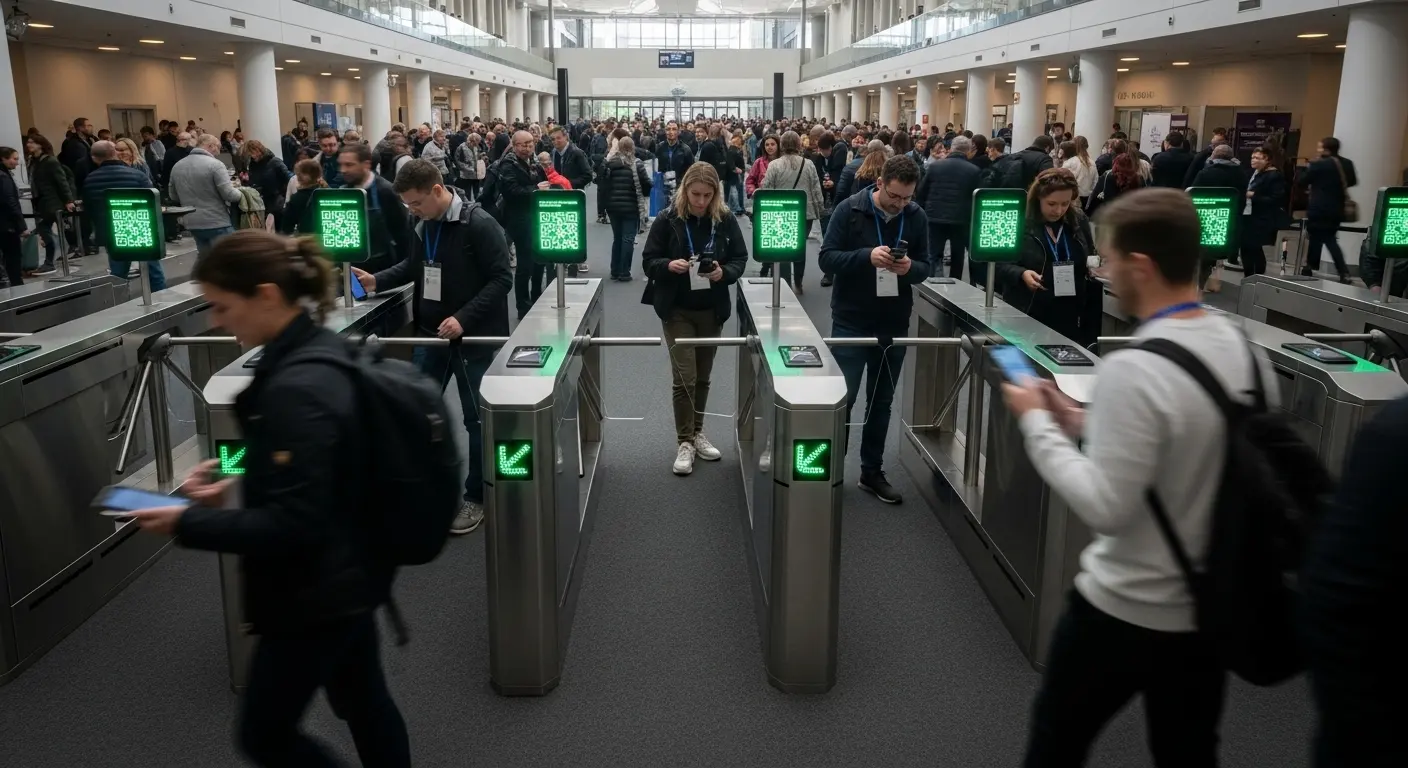
The original home of QR access. Ticket purchasers receive a unique code at the point of sale. At the gate, dynamic one-time codes prevent duplicate entry. After the event, every scan record creates a complete attendance log tied to named ticket holders. No card issuance, no badge printing, no credential collection on exit. The anti-tailgating AB turnstile gate handles event surge volumes while maintaining single-person enforcement — critical during peak entry windows.
Corporate Visitor Management
Hosts generate a time-window QR code and send it to the visitor before arrival. The visitor walks directly to the gate and scans on entry — no front desk stop, no receptionist intervention, no physical visitor badge unless the site requires one for visual identification. The cloud-based turnstile gate connects visitor code generation directly to the gate's control dashboard, allowing remote code issuance, real-time entry monitoring, and automatic code expiry across multiple building locations from a single management interface.
Transit Hubs and Stations
QR codes on digital transit tickets match the gate scanner's native format — no separate reader type required for phone-based tickets alongside paper tickets. Both 1D barcode and 2D QR formats can run on the same reader, handling the full ticket format range of any transit environment.
Government and Secure Facilities
For controlled visitor access to government buildings, QR codes tie directly to pre-registered visitor appointment systems. Visitors receive a time-specific code tied to their appointment; the gate only opens within that window. The government facility access gate is built for exactly this scenario — combining time-restricted QR credential verification with full audit trail logging for compliance requirements.
QR Code vs. RFID vs. Biometric: Choosing the Right Credential
Each credential type solves a different primary problem. Understanding the trade-offs saves costly re-specification later.
QR code works best when:
- Your user population rotates frequently — visitors, event attendees, short-term contractors
- You need zero card-issuance overhead — credentials are generated and delivered digitally
- Time-limited or single-use access is a core requirement — dynamic codes handle this natively
- Your use case ties access to an existing booking or ticketing platform via API
RFID works best when:
- Your user population is stable — long-term employees, regular members
- You want sub-200ms tap speeds without requiring phone screen orientation
- Your environment includes no-phone policies or unreliable phone battery situations
Biometric works best when:
- Physical credential sharing is an unacceptable risk
- Identity-level verification — not just credential possession — is required
- High-security zone access demands the strongest possible individual authentication
For facilities running all three user types simultaneously — daily staff, regular visitors, and one-time event attendees — a multi-reader gate cabinet handles all three credential formats from a single gate unit. The facial recognition turnstile supports QR code, RFID, and biometric verification modes on a single platform, with the active mode selectable by lane, zone, or access rule in the management software.
Common Mistakes When Deploying a Turnstile Gate with QR Code
Using static codes for individual access control. Static codes are screenshots away from being shared infinitely. Any deployment where individual accountability matters — employee visitor logs, event attendance records, compliance-controlled access — must use dynamic, time-limited, or one-time-use codes. This is a system configuration decision, not a hardware one, but it needs to be made before deployment, not after a security incident.
Ignoring ambient lighting at the reader position. QR scanners on outdoor or semi-outdoor gates face direct sunlight at certain times of day. Phone screen QR codes are nearly impossible to scan in bright direct light without high-brightness scanner hardware. Specify IP54-rated scanners with wide-spectrum illuminators for any outdoor or partially covered installation. Test under actual site lighting conditions during commissioning.
Not testing the API connection under load. A QR verification system that works perfectly during a test with five users may show latency under 200 simultaneous scans during peak entry. For transit hubs, stadiums, and any high-volume event entry, load-test the verification backend before the deployment goes live. A 200ms verification delay multiplied across 20 simultaneous lanes creates queue backup within minutes.
Treating QR as the only security layer. A turnstile gate with QR code verifies that a valid code is presented. It does not verify that the code presenter is the authorized person. For environments where that distinction matters, pair QR with a secondary verification step — a photo comparison at the gate display, or a short PIN entry for high-security zones.
Skipping code expiry and invalidation workflows. Define how code expiry works, how cancellations are handled, and who has authority to invalidate codes before the system goes live. In visitor management environments specifically, a visitor who was expected but whose meeting was cancelled should not be able to enter on a code that was already sent. Build that invalidation workflow into the access management platform configuration, not as a manual process.
FAQ: Turnstile Gate with QR Code
What is a turnstile gate with QR code?
A turnstile gate with QR code is a motorized pedestrian barrier with an optical QR scanner that reads a digital or printed credential, verifies it against an authorization system, and opens the gate if the code is valid. The verification completes in under 500 milliseconds. No physical access card is required — credentials are generated digitally and delivered by email, SMS, or mobile app.
How does a turnstile gate with QR code work step by step?
An access platform generates a unique QR code and delivers it to the user. The user presents the code at the gate scanner. The scanner reads the encoded data and sends it to the access controller or a cloud verification backend. The system checks the code against a permission database — confirming validity, time window, and single-use status if applicable. A valid result opens the gate. An invalid, expired, or already-used code keeps the gate locked and fires an alert.
What is the difference between a static and a dynamic QR code on a turnstile gate?
A static QR code encodes a fixed data string that works every time it is presented — making it easily sharable and reusable. A dynamic QR code references a live database record that the system controls. Dynamic codes can be set to expire after one use, after a time window, or by remote invalidation. For any deployment where individual access accountability matters, dynamic codes are the correct security specification.
What gate type is best for a turnstile gate with QR code?
Flap barrier gates are the most common choice for corporate and campus environments because they combine 40 to 45 persons per minute throughput with reliable anti-tailgating sensor detection alongside QR verification. Speed gates suit transit and high-volume event entries. Tripod turnstiles handle lower-volume applications at a lower cost. The right choice depends on throughput requirements, security level, and the physical environment.
Can a turnstile gate read both QR codes and RFID cards?
Yes. Most modern gate cabinets support multi-credential reader configurations. A dual-reader setup handles QR codes for visitors and temporary users alongside RFID cards for regular staff on the same gate hardware. The access controller manages the authorization rules for each credential type independently, allowing mixed populations to use the same lane without credential conflict.
