


Turnstile Gate Controller: Types, Wiring & How to Choose the Right One
2026-03-24


A turnstile gate controller is the electronic unit that receives credential data, checks access permissions, and sends the open or close command to the gate mechanism. Choosing the wrong controller type is one of the most common causes of integration failure in new turnstile installations — and it is entirely avoidable with the right information.
At Ironman, our engineering team has deployed turnstile systems across 3,000+ gate projects globally, from compact office entries to large-scale transit hubs. In this guide, you will find a clear breakdown of controller types, wiring protocols, and practical selection criteria — so you can specify the right controller for your facility without guesswork.
For an overview of the full range of turnstile gate options, visit our turnstile gate category page.
What Is a Turnstile Gate Controller?
A turnstile gate controller is the central processing unit of any access-controlled entry point. It receives a signal from a credential reader — such as an RFID card reader, QR scanner, or biometric terminal — verifies that signal against an authorization database, and then activates or holds the gate mechanism accordingly.
The controller also manages auxiliary functions. These include anti-tailgating alarm outputs, entry/exit event logging, and integration with external security software.
There is an important distinction to understand from the start:
- Control board: The circuit board integrated directly inside the turnstile gate cabinet. It handles motor control, sensor feedback, and basic signal processing.
- Access control panel: An external standalone unit that acts as the central controller for one or multiple gates. It manages user credentials, permissions, and audit trails at a higher system level.
Both are referred to as "turnstile gate controllers" in the industry. The right choice depends on your facility's scale and integration needs.
How a Turnstile Gate Controller Works
A turnstile gate controller works by linking the credential reader, the permission database, and the physical gate mechanism into one real-time response loop. The process is fast — most modern controllers complete the full cycle in under one second.
Step-by-Step Operation
Here is how the controller handles each entry attempt:
- Credential presented: The user taps an RFID card, scans a QR code, enters a PIN, or stands in front of a biometric terminal.
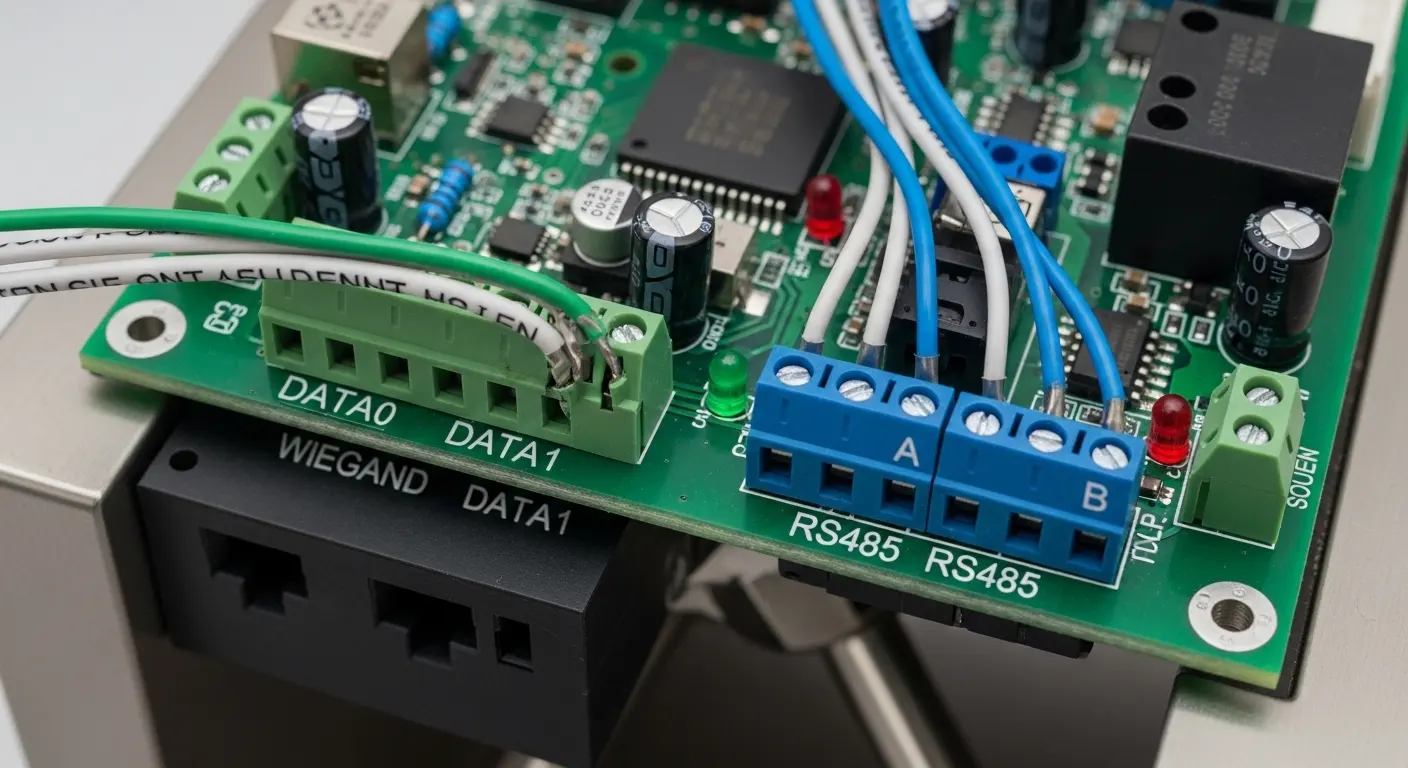
- Signal sent to controller: The reader sends the credential data to the controller via Wiegand (DATA0/DATA1 lines) or RS485 communication protocol.
- Permission check: The controller cross-references the credential against its stored or cloud-connected authorization database in real time.
- Gate activation: If the credential is valid, the controller sends a relay output signal to the gate's motor or actuator, which opens the barrier arm, flap, or sliding panel.
- Passage confirmation: Infrared sensors detect that the user has passed through the gate zone.
- Gate closes and event logs: The gate resets to its secure state. The controller logs the entry event — time, credential ID, and lane — for reporting and audit purposes.
- Denied entry: If credentials fail, the gate stays locked. The controller can trigger a sound alarm, a visual indicator, or a notification to security personnel.
Role of Infrared Sensors in the Control Loop
Infrared sensors are a direct input to the controller's logic, not just a safety add-on. Each sensor pair has a transmitting end (an infrared-emitting diode) and a receiving end (a photosensitive diode).
When the beam between these two ends is interrupted, the controller knows a person is in the passage zone. This prevents the gate from closing on someone mid-passage. It also feeds the anti-tailgating detection logic — if a second person enters the beam before the gate resets, the controller triggers an alarm output.
Types of Turnstile Gate Controllers
The controller type determines how many gates you can manage, how credentials are stored, and whether your system can be administered remotely. There are three primary types in modern installations.
Standalone (Integrated) Controller
A standalone controller is built directly into the turnstile gate chassis. It processes credentials locally, stores user data onboard, and activates the gate without requiring any external panel or network connection.
This type is the most straightforward to install. In our experience across small office and retail projects, integrated controllers cover the majority of single-entry use cases without any additional hardware cost.
Best for: Single-entry facilities, small offices, gyms, and residential lobbies with low-to-medium traffic volume.
Limitation: You cannot centrally manage multiple gates from one interface. Each gate must be configured independently.
Networked Access Control Panel
A networked panel is an external controller unit installed separately from the gate hardware. It connects to one or more turnstile gates via RS485 bus or TCP/IP, managing all gates from a central point.
This type supports centralized user management — adding or removing credentials across all gates simultaneously — along with real-time access logs, attendance reporting, and alarm monitoring. Most enterprise-grade deployments use this architecture.
Best for: Corporate campuses, universities, transit stations, and any facility managing 3+ entry lanes.
Limitation: Requires additional hardware, cabling, and a dedicated management PC or server.
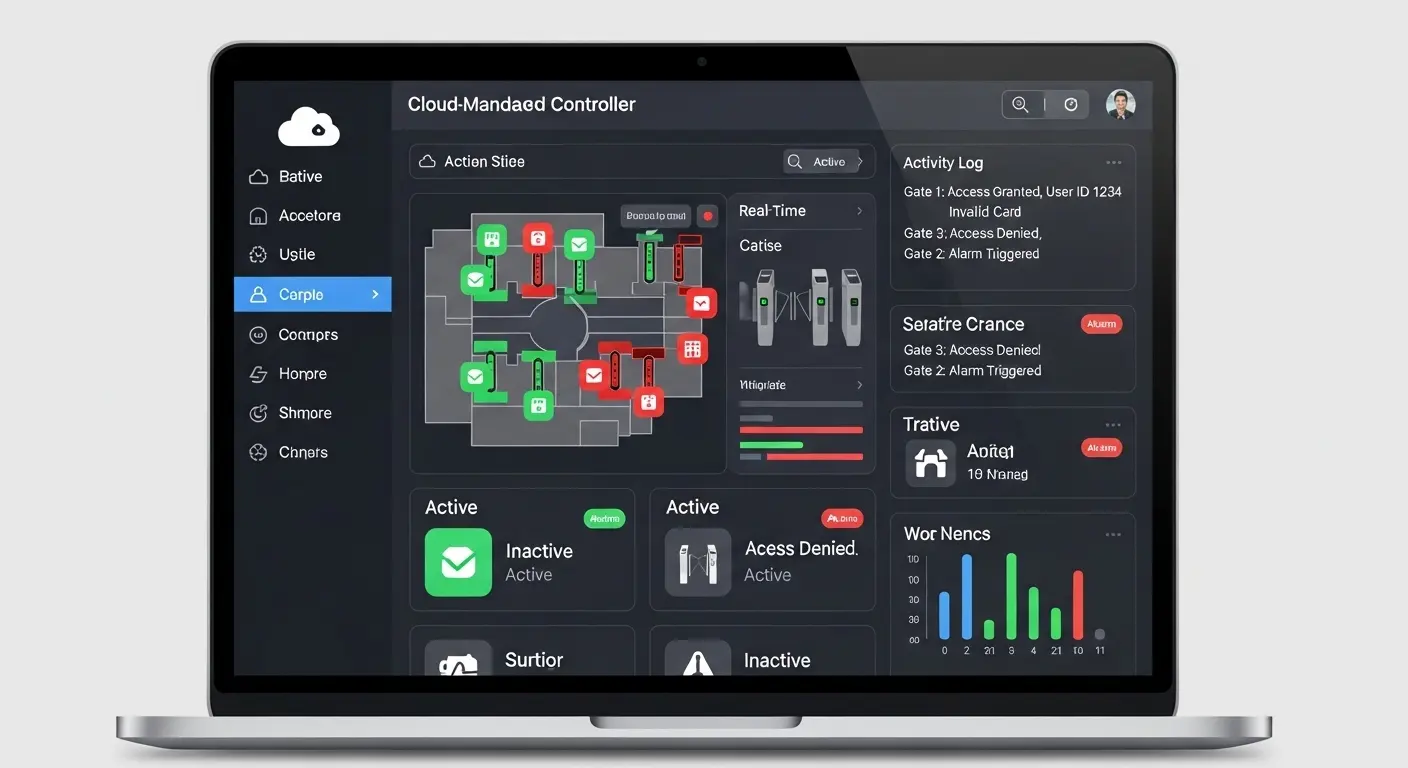
Cloud-Managed Controller
A cloud-managed controller communicates with a hosted software platform over the internet. Security administrators can update credentials, review access logs, generate reports, and configure alarm rules from any device — without being on-site.
When we deployed cloud-managed controllers across multi-site retail and property management projects, remote credential management reduced administrative time by more than 60% compared to on-premise panel systems. This architecture is also well-suited to cloud-based turnstile gate systems that need to scale across multiple locations.
Best for: Multi-site operators, property management companies, SaaS security integrators, and facilities requiring remote oversight.
Limitation: Dependent on internet connectivity. A local fallback mode (offline cached credentials) is essential for business continuity.
Controller Type Comparison
| Controller Type | Location | Best For | Protocol Support | Remote Management | Offline Operation |
|---|---|---|---|---|---|
| Standalone/Integrated | Inside gate | Single entry, low traffic | Wiegand, dry contact relay | No | Yes (onboard storage) |
| Networked Panel | External unit | Enterprise, multi-gate | RS485, TCP/IP, Wiegand | Partial (LAN) | Yes (panel database) |
| Cloud-Managed | Cloud software | Multi-site, SaaS | TCP/IP, REST API | Full (any device) | Requires fallback mode |
Wiring and Communication Protocols
Getting the wiring right is where most DIY installation problems begin. Turnstile gate controllers use a small set of well-defined protocols — understanding these prevents both installation errors and future integration issues.
Wiegand Protocol Wiring
Wiegand is the most widely used protocol for connecting credential readers to controllers. It uses two data lines — DATA0 and DATA1 — along with a ground (GND) line and a 12V DC power supply line.
Most RFID card readers, proximity readers, and biometric terminals output Wiegand 26-bit or 34-bit data. This makes them directly compatible with nearly all standalone and networked controllers on the market.
Key installation note: Wiegand signal integrity degrades over long cable runs. Keep the reader-to-controller cable under 150 meters. For longer runs, use shielded cable or switch to RS485.
RS485 Communication Protocol
RS485 is used primarily for controller-to-controller and panel-to-gate communication over a multi-drop bus. A single RS485 line can support up to 32 devices, making it the standard for daisy-chaining multiple turnstile gates to a central panel.
RS485 offers significantly better noise immunity than Wiegand over distances exceeding 50 meters. This makes it the preferred choice for large facilities where the control panel is located far from individual gate lanes.
To connect an RS485 network to a Windows PC or server, you will need an RS485-to-USB or RS485-to-TCP/IP converter. Most access control management software packages support RS485 communication through these adapters.
Relay Output and Open-Signal Wiring
The relay output is how the controller physically activates the gate. The controller closes (or opens) a relay contact, which completes the circuit to the gate's motor or electromagnetic lock.
There are two standard relay configurations:
- Normally Open (NO): The relay closes to activate the gate. If power is lost, the gate stays locked. This is the fail-secure configuration — used in high-security areas where unauthorized entry during a power outage is unacceptable.
- Normally Closed (NC): The relay opens to release the gate. If power is lost, the gate unlocks automatically. This is the fail-safe configuration — required in emergency egress paths under NFPA 101 Life Safety Code standards.
In our experience deploying turnstile controllers in healthcare and government facilities, selecting the correct fail mode is as critical as the controller type itself. Always confirm this setting before commissioning.
Key Features to Look for in a Turnstile Gate Controller
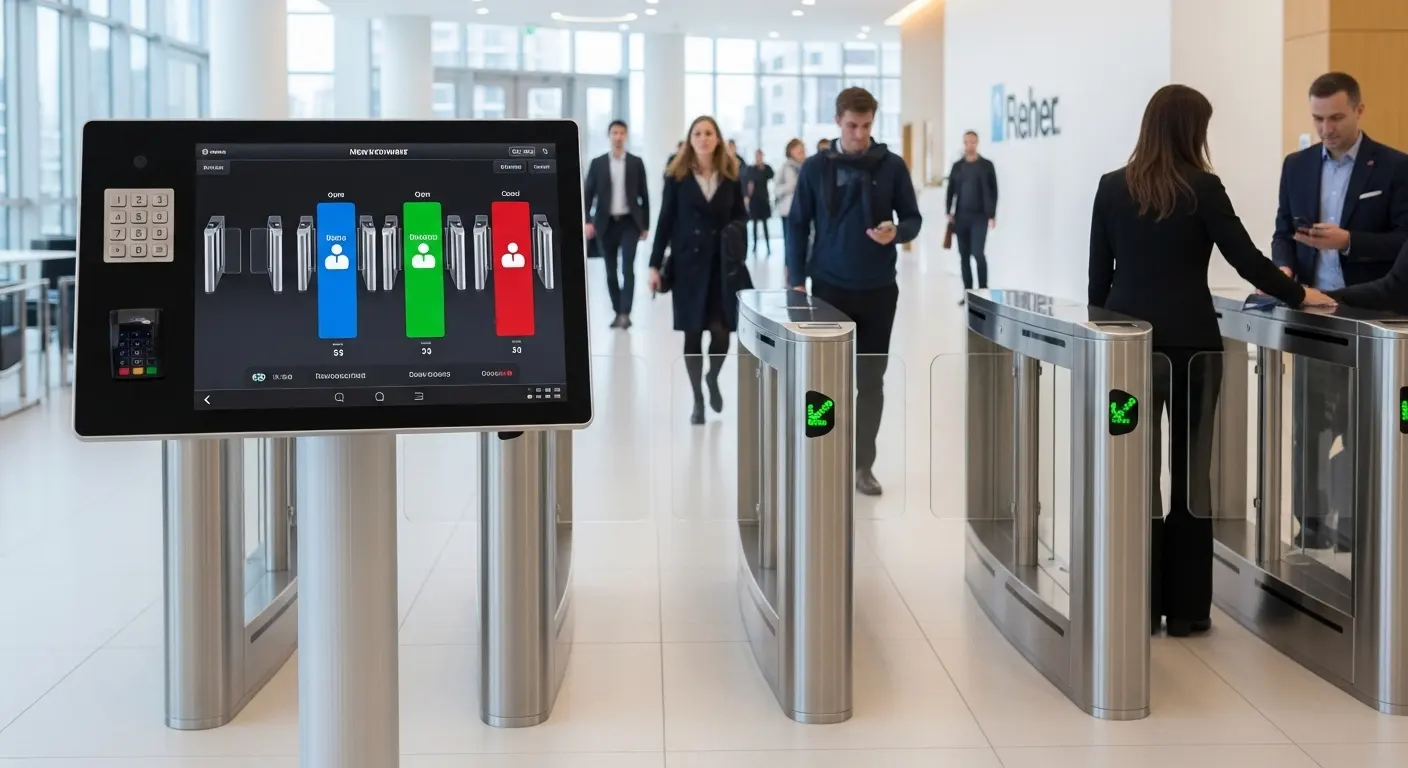
Not all controllers are equal. When comparing options, evaluate these features against your specific project requirements:
- Dual-protocol support: Wiegand AND RS485 minimum — ensures compatibility with both readers and panel systems
- Lane capacity per panel: How many gates one panel can manage (typically 2–16 lanes per panel unit)
- Onboard credential storage: Number of user cards the controller can store locally for offline operation (typically 10,000–100,000 records)
- Access control software compatibility: Native software included, or open API/SDK for third-party integration
- Anti-tailgating detection: Dedicated IR sensor input and configurable alarm logic
- Fail-safe / fail-secure mode: Configurable relay behavior on power loss (mandatory for fire egress compliance)
- Real-time event output: Live alarm relay, alarm record log, remote monitoring support
- Environmental rating: Operating temperature range and IP rating for outdoor or harsh-environment use
For deployments where perimeter security is the priority, review the access control turnstile full-height product — these units include high-capacity integrated controllers rated for outdoor and industrial environments.
How to Choose the Right Controller for Your Project
The global security turnstiles and gates market reached USD 995.7 million in 2024 and is projected to grow to USD 1,266 million by 2030 at a 4.08% CAGR — reflecting strong demand for more sophisticated, integrated access control infrastructure. Choosing the right controller type from the start protects that investment.
Selection by Facility Type
Use this breakdown to match your project scenario to the right controller architecture:
- Small office / single entry point: Standalone integrated controller. No additional hardware, minimal wiring, operational within hours.
- Corporate campus or university: Networked access control panel. Central credential management for 10–100+ gate lanes, with full audit trail and attendance reporting.
- Multi-site property or retail chain: Cloud-managed controller. Single software dashboard for all locations, with remote credential provisioning and real-time monitoring.
- Government building or data center: Networked panel with biometric terminals and a full-height access control turnstile — the combination that delivers the highest physical and electronic security barrier.
For a complete view of deployment solutions by industry, explore Ironman's solutions page covering fitness centers, healthcare, government, and corporate applications.
Selection by Integration Requirements
If you already have an access control ecosystem in place, compatibility is your primary filter:
- Existing RFID card system (HID, Mifare, EM4100): Confirm the controller supports Wiegand 26-bit or 34-bit input — nearly all do.
- Third-party software (Lenel, Genetec, Brivo): Require RS485 or TCP/IP communication and confirm the vendor provides an SDK or open API.
- Facial recognition terminal: Ensure the controller supports the Wiegand output of the specific biometric device. Some high-spec terminals use proprietary protocols.
- High-volume pedestrian flow: Consider the smart speed gate turnstile paired with a networked panel — this configuration handles sustained throughput of 40–60 persons per minute per lane.
- Visitor management or QR code access: The controller must accept dynamic credential signals from a software-issued QR system — confirm real-time cloud database query is supported.
Frequently Asked Questions
Q1: Does a turnstile gate come with a built-in controller?
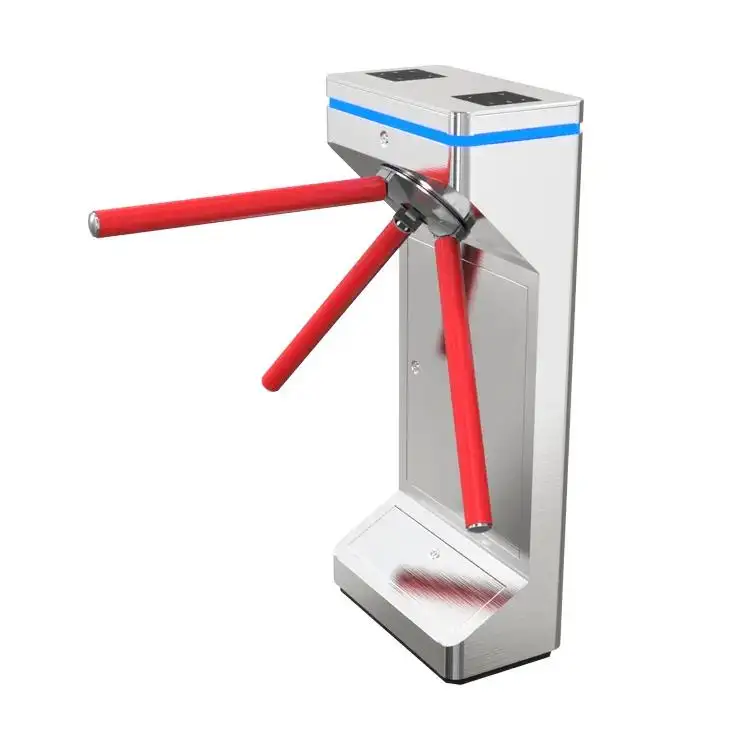
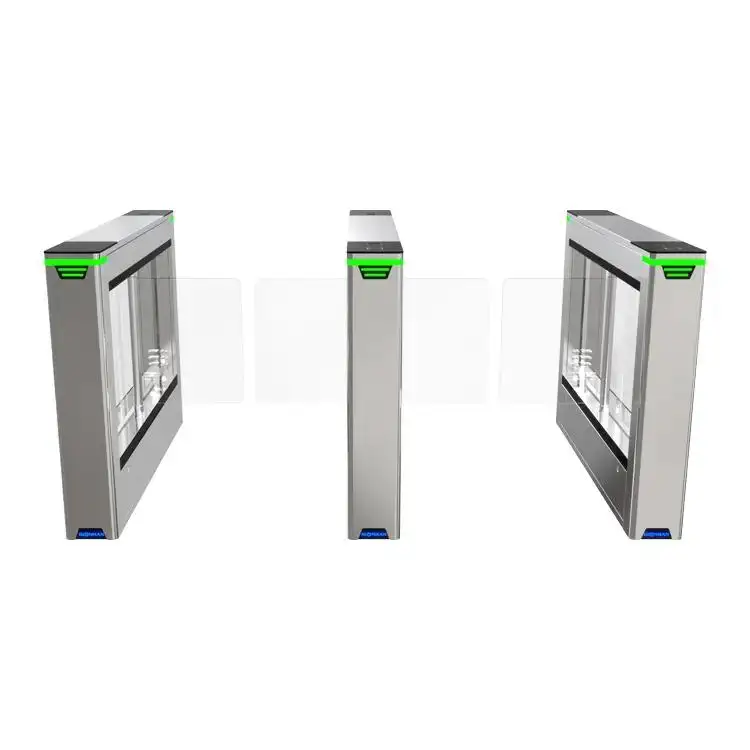
Most standard tripod turnstiles, flap barriers, and swing gates include an integrated control board inside the gate cabinet. This board handles basic motor control and supports Wiegand input from an external card reader. However, built-in boards are typically standalone — for multi-gate management or enterprise-level reporting, you will need an external access control panel in addition to the gate's onboard board.
Q2: What is the difference between a turnstile control board and an access control panel?
A control board is the circuit inside the gate that manages the motor, sensors, and relay outputs. An access control panel is an external standalone device that manages user credentials, permissions, and communication across one or multiple gates. In simple installations, the control board handles everything. In enterprise deployments, the panel sits above the board and acts as the central authority for the entire system.
Q3: What wiring protocol do most turnstile gate controllers use?
The two most common protocols are Wiegand and RS485. Wiegand connects card readers directly to the controller using DATA0 and DATA1 signal lines — it is the standard for RFID, QR, and biometric reader connections. RS485 is used to link multiple controllers or gates to a central panel over longer distances. Most modern controllers support both protocols simultaneously.
Q4: What happens to the turnstile controller during a power failure?
The behavior depends on how the relay is configured. In fail-safe mode (normally closed relay), the gate unlocks automatically on power loss — required for emergency egress paths under NFPA 101. In fail-secure mode (normally open relay), the gate stays locked during a power outage — used in high-security areas. Many controllers also support an uninterruptible power supply (UPS) input to maintain operation during brief outages.
Q5: Can one controller manage multiple turnstile gates?
Yes — a networked access control panel can manage multiple gate lanes from a single unit. The exact number depends on the panel model; typical capacity ranges from 2 to 16 lanes per panel. Gates connect to the panel via RS485 daisy-chain or TCP/IP. Cloud-managed systems can extend this to unlimited gates across unlimited sites through a single software interface.
Q6: Can a turnstile gate controller integrate with third-party access control software?
Yes, provided the controller supports an open communication protocol (RS485, TCP/IP) or provides an SDK/API. Most enterprise-grade controllers are designed to integrate with platforms such as Lenel, Genetec, Honeywell Pro-Watch, and others. Always confirm protocol compatibility before purchasing — request the controller's technical datasheet and integration specification document from your supplier.
Closing Thoughts
The right turnstile gate controller comes down to three decisions: scale (how many gates), integration (what systems must connect), and fail-mode (what happens during a power outage). Standalone integrated controllers suit single-entry facilities. Networked panels serve enterprise deployments. Cloud-managed platforms are built for multi-site operators who need remote control without on-site hardware management.
Ironman has delivered 100,000+ turnstile units annually across corporate, government, education, and transit environments. If you need help specifying the right controller for your project, our team provides free technical consultations and detailed quotes within 12 hours. Contact us through our solutions page to get started.
